
Grids, Diptychs, and Photo Strips: Decide What to Lock Before You Write a Multi-Panel Prompt
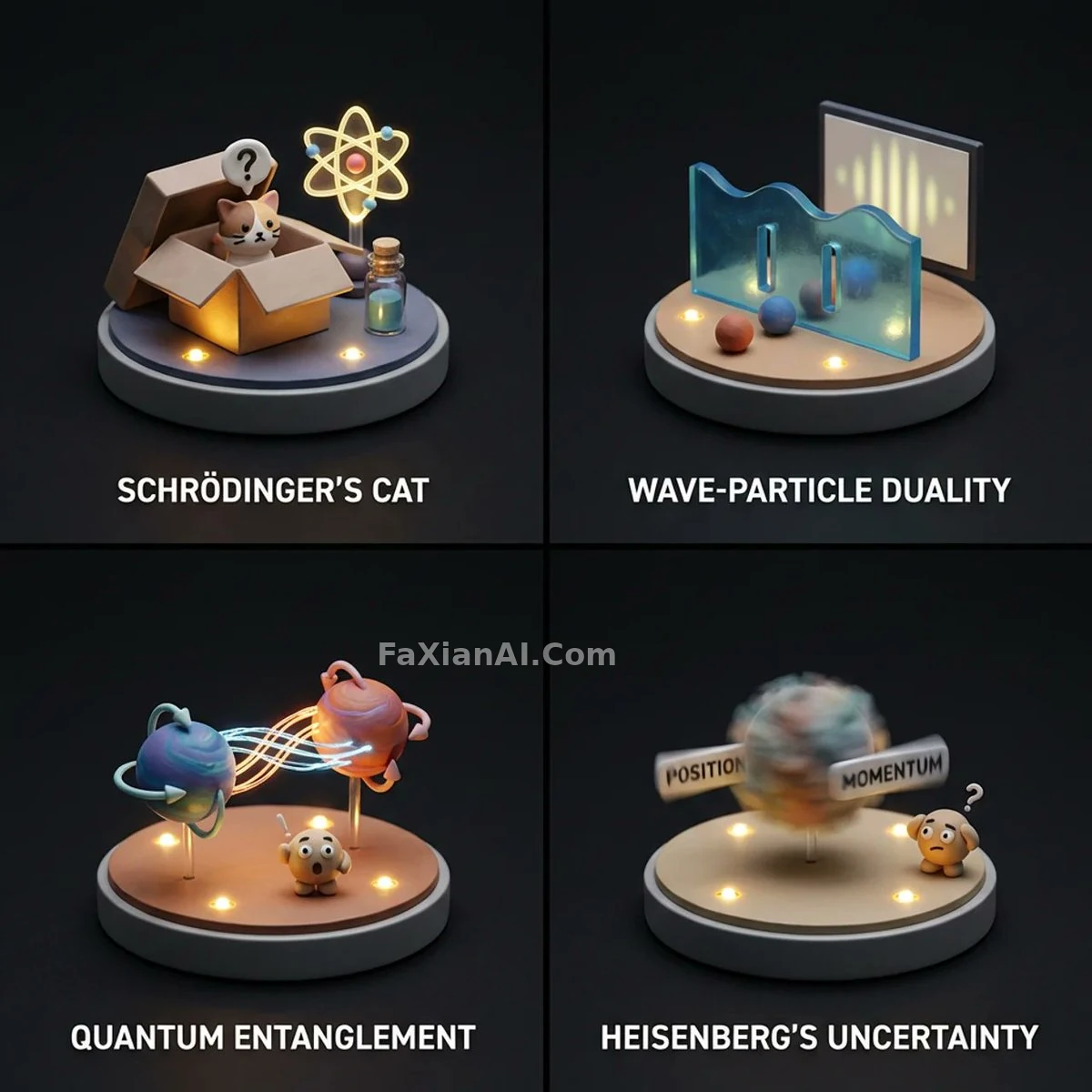
Multi-panel grids are the fastest-growing category of saved prompts this year: fashion 2x2 grids, 3x3 dance grids, four-panel comics, step-by-step diagrams, photobooth strips. They look completely different from each other, but they tend to fail the same way — panel two shows a different face, panel three's light flips direction, panel four suddenly has a line of garbled text.
The cause is the same too: whoever wrote the prompt spent all their effort on "what goes in each panel" and never wrote down "what isn't allowed to change." A multi-panel image is really two lists: a lock list (constant across every panel) and a progression list (what changes panel by panel). Here's how five site cases break those two lists apart.
1. Fix the Panel Count and Layout First — Don't Let the Model Guess
Write something as loose as "a grid of photos" and the model might hand you three panels, six panels, with or without white borders — anything. Panel count, rows and columns, gutter width, and outer border need to be pinned down in one go.
The gold-and-black boxing 2x2 grid spells this out in the layout block of its JSON prompt: cols 2, rows 2, gutter thin, outer_border none, plus panel_consistency: very_high. These aren't decoration — they're what makes the result read as a clean magazine spread instead of four snapshots thrown together.
The crimson studio 3x3 dance grid swaps the layout to 3x3 and keeps everything else the same. More panels means each panel is smaller, and faces blur more easily — so a 3x3 grid suits subjects where motion and pose carry the shot (dance, expression sets, gestures), not close-ups that live or die on facial detail.
The transferable move: open with one line — "a 2x2 grid, four equal square panels, thin white gutters, no outer border" — which holds up far better than scattering mentions of "four images" through the rest of the prompt.
2. The Lock List: Same Person, Same Light, Same Outfit
The most common way a grid goes wrong is identity drift. The best-performing cases on the site all lock identity with itemized clauses, not a single descriptive phrase.
The hair-dye transformation grid lists "facial structure, skin tone, age, proportions" item by item and requires them to stay uniform across all four panels; the negative prompt at the end adds "a different person, identity drift, inconsistent face shape or age." Stating the requirement both ways — positively and as an exclusion — is far more reliable than a single "same woman."
Light has to be locked too. The boxing grid's editorial note nails this: all four panels use the same key light angle, which is what makes the face read as the same person. Change the light position and the shadow shapes on the cheekbones and jaw shift with it — the viewer's first read is "that's someone else." Write the key light direction, color temperature, and hardness into the lock list, e.g. "key light from camera left at 45 degrees, hard light, identical in every panel."
Outfit is the third lock. The same-hat campaign grid writes the same model, same hat, same white suit into a keep_constant field, and only puts lighting, mood, camera angle, and environment in a vary field. Putting the two fields side by side makes it obvious at a glance what can move and what can't — this structure is worth copying directly.
3. The Progression List: What Changes in Each Panel Needs an Order
Once identity is locked, what's left is change. Whether the change reads well comes down to whether it has an internal sequence.
The hair-dye grid progresses through "applying dye → washed and wet → half-dry → blown out and styled," with color depth, moisture, and volume all following the physical process in each panel — so the four panels read like a real record of an event. Write "four hairstyles" instead, and the model hands you four unrelated salon photos.
The black-and-white breakup photobooth strip turns the progression into a narrative: the left strip goes from alone to embracing, the right strip goes from a smiling guy to an empty frame. The two strips progress at once in opposite directions, and the story gets told without a single word. It also specifically states "the two photo strips remain separate, never merged into one" — a layout-level lock that stops the model from mashing eight panels into one.
For the progression, number each panel: Panel 1 / Panel 2 / Panel 3 / Panel 4, one line per panel, writing only what changed relative to the previous panel — don't repeat the locked content again. Restating it makes the model treat each panel as a standalone piece, which only exaggerates the differences.
4. Conceptual Grids: One Consistent "Stage" for Different Content
Not every grid has a person in it. The quantum-concept diorama grid needs to act out four abstract concepts across four panels, and it does so by fixing the "stage" first, in one weighted line: diorama lighting, resin-clay material, miniature base, clean studio backdrop — all held constant. The only thing that changes is the [TOPIC] variable.
This is really the same logic as a portrait grid — the thing being locked just shifts from "the person" to "the material and the stage." Product feature grids, four-season comparisons, four-flavor comparisons: all of these can follow the same approach — write a shared scene shell first, then drop the variable into brackets and swap it per panel.
5. A Ready-to-Edit 2x2 Template
A 2x2 grid of four equal square panels, thin white gutters, no outer border, photorealistic editorial style.
Constant across all panels: the same adult woman (same face shape, skin tone, age and hairstyle), the same [OUTFIT], key light from camera left at 45 degrees with soft fill, the same [BACKGROUND COLOR] seamless studio backdrop, 85mm lens look.
Panel 1: [ACTION OR STATE 1].
Panel 2: [ACTION OR STATE 2].
Panel 3: [ACTION OR STATE 3].
Panel 4: [ACTION OR STATE 4].
Avoid: a different person in any panel, changing light direction, merged panels, text, logos, watermarks.
The brackets in the template are variables for you to fill in. Keeping the lock section and the progression section separate is the single biggest takeaway from this whole piece.
6. Three Things to Check Before You're Done
1. Count it: are panel count, rows/columns, gutter, and border all spelled out?
2. Does the lock list cover all three — person, light, and outfit (or stage and material)?
3. Does the progression list follow a sequence, with each panel writing only what changed?
The biggest difference between a multi-panel image and a single image is consistency. If you want to put the same character into more scenes than a single grid can hold, see how to write for character consistency next; for front/side/back turnaround sheets, character turnaround prompts goes into more detail. For picking an aspect ratio, see the piece on writing aspect ratio into a prompt.