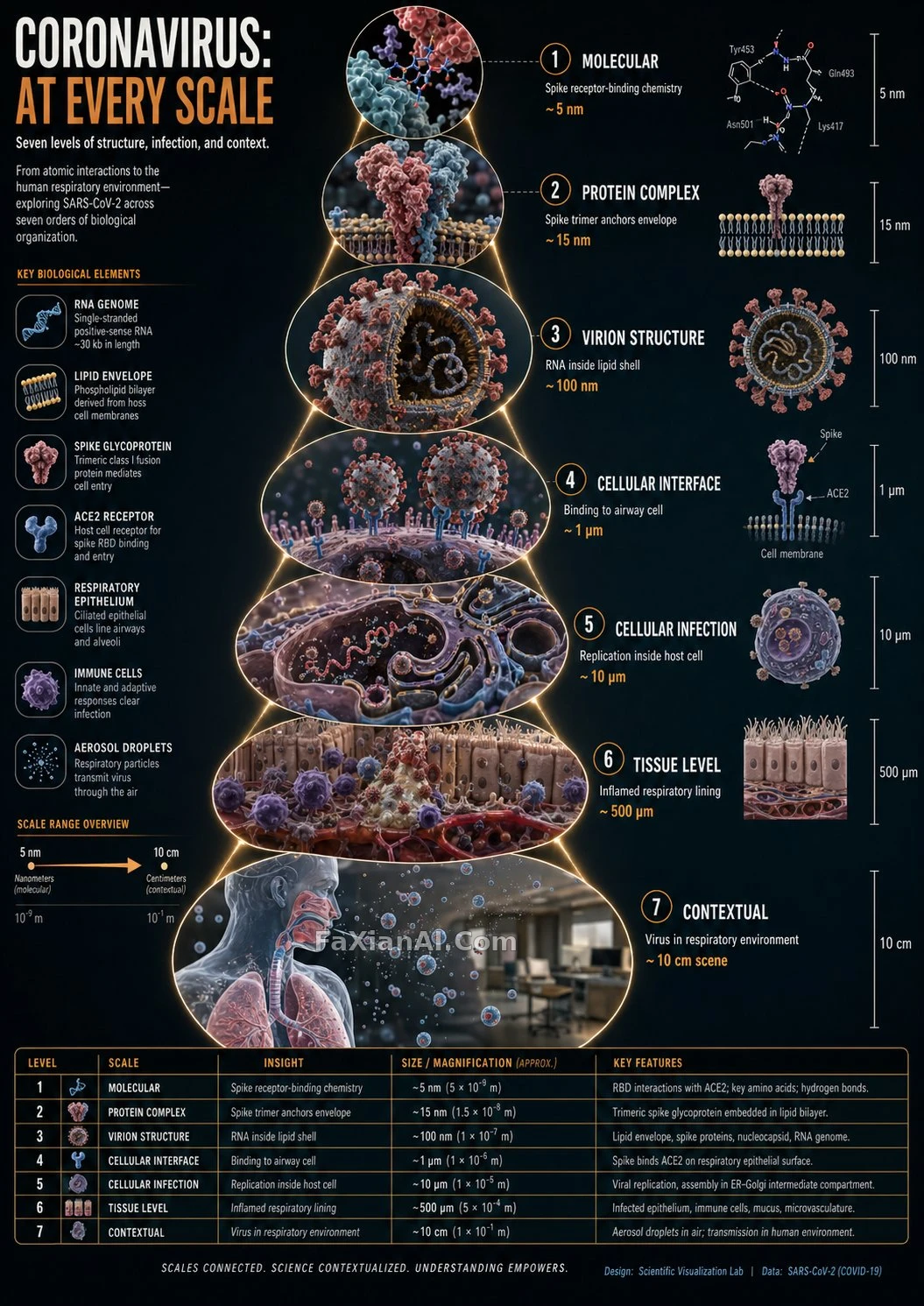
冠狀病毒逐級放大的尺度資訊圖
六到八個圓形畫框由內向外放大,每格只展示新的尺度層級。
寫法要點
✍️ 變數只有 [SUBJECT] 一個,其餘都是版式約束:畫框數 6–8、尺度不重複、標籤 3–5 詞。約等於把資訊圖寫成函式,換主題直接呼叫。
完整提示詞
📋 提示詞 自然語言1515 字元
<instructions>
[SUBJECT] = Coronavirus (any other subject can replace it).
Brief: turn that one input into a hyper-realistic zoom-sequence infographic made of 3D renders. You decide how many scale layers the subject has, starting at the atomic or component level and ending at its complete setting.
Frames, which are essential: no fewer than six and no more than eight, each one round or hexagonal, spreading outward step by step. The smallest visible detail lives in the innermost frame, while the outermost shows the entire subject within its surroundings. Faint zoom-path lines tie the frames together. A scale may appear only once: every frame uncovers something the previous one did not.
Inside every frame: a very detailed 3D render at that scale, a micro label (the scale's name such as "molecular," "cellular" or "structural," plus an insight of 3 to 5 words), and, if you like, a measurement tag or magnification factor.
Surrounding halo: reference only things tied to the scale, namely measurement units, scientific notation and cultural scale metaphors; skip generic magnifying-glass icons.
Alternative scale-panel layout lists: zoom level; key insight (3-5 words); scale factor tag; detail icon (grid, wave, particle, etc.).
Title: "[SUBJECT]: AT EVERY SCALE" or "ZOOM: THE WORLD OF [SUBJECT]".
Visual style: ultra-realistic 3D rendering in a scientific editorial infographic format, with precise macro lighting, global illumination, shallow depth of field and a clean sequential layout.
</instructions>
📋 中文譯寫版 自然語言489 字元
instructions>
[SUBJECT]=冠狀病毒。
任務:僅憑這一個輸入,生成超寫實的3D縮放序列資訊圖,自動識別從原子或子元件級別到完整環境視角的各個尺度層級。
版式(關鍵):
- 6-8個圓形或六邊形畫框,按遞增順序排列
- 最內層畫框是能分辨的最小細節;最外層是主體所處環境中的全貌
- 畫框之間用含蓄的縮放路徑線連線
- 尺度不重複,每個畫框展示新的細節層級
每個畫框內:該尺度下的超精細3D渲染;一個微標籤,寫尺度名稱(如“分子”“細胞”“結構”)加3-5個字的洞察;可選的測量標籤或放大倍數。
環境光暈:序列周圍只放與尺度相關的參照:計量單位、科學計數法、文化類的尺度比喻(不要通用的放大鏡圖示)。
備選版式,尺度面板:縮放層級、關鍵洞察(3-5個字)、比例係數標籤、細節圖示(網格、波形、粒子等)。
標題:“[SUBJECT]: AT EVERY SCALE”(或)“ZOOM: THE WORLD OF [SUBJECT]”。
風格:超寫實3D渲染,科學編輯類資訊圖,精確的微距布光,全域性光照,淺景深,清爽的序列式版式。
</instructions>