
Midjourney Parameters Aren't Black Magic: Reverse-Engineering --ar, --stylize, and --style raw From Five In-Site Renders
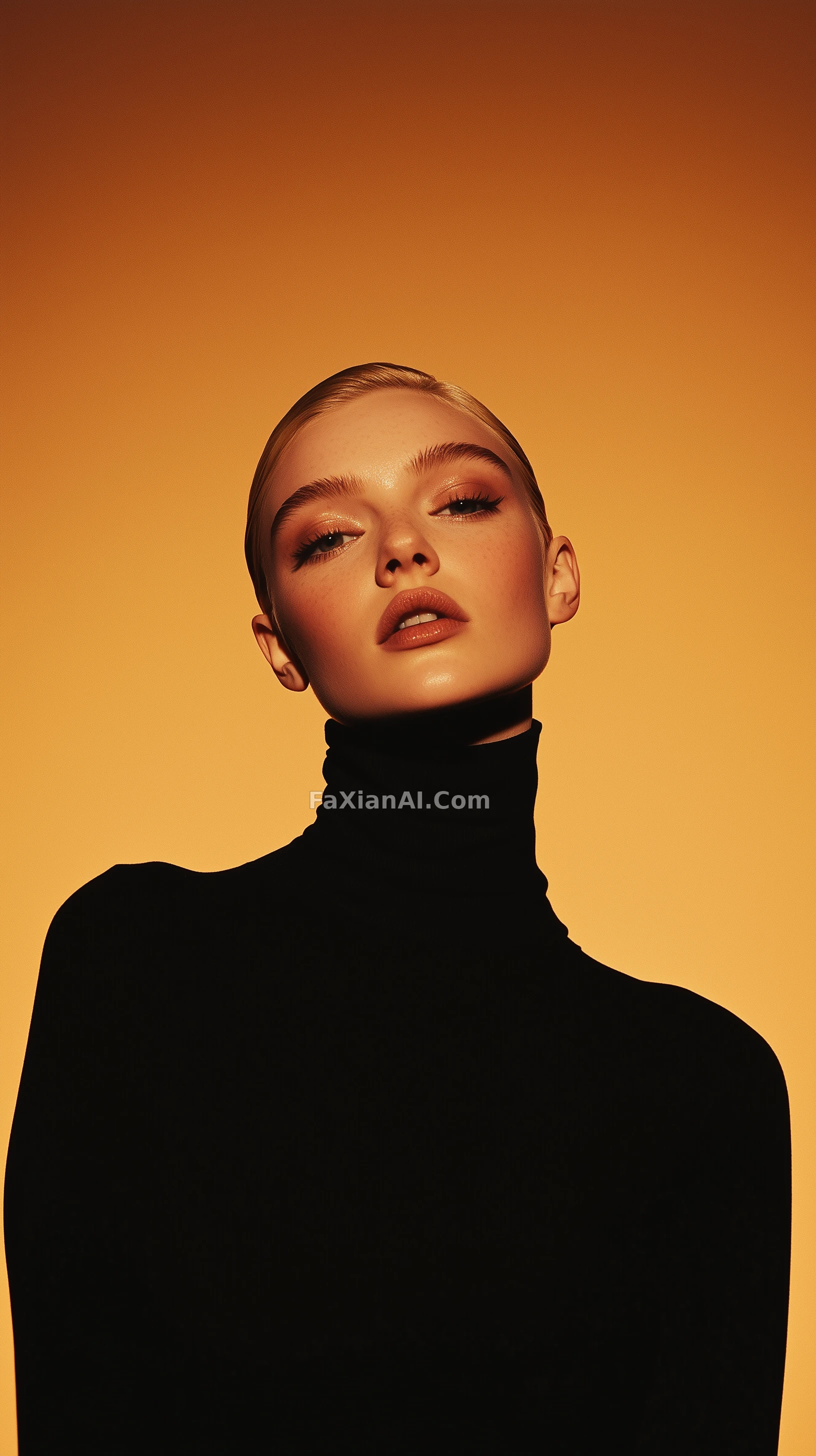
A lot of people write Midjourney prompts the same way: toss off a couple of sentences for the body text, then paste on every parameter they've ever seen at the end, and if the render's off, swap a number and try again. Parameters obviously affect the result, but what they control is "how it renders," not "what gets rendered." Once that distinction is clear, tuning parameters stops being guesswork and starts having direction.
The five cases below are all live on the site, and their parameter strings were pulled in together with the original images — so you can check each parameter directly against what it produced.
--ar decides the narrative, not just the dimensions
This shadow-cut portrait runs `--ar 1:2 --style raw --stylize 250`. A 1:2 ratio is even leaner than the usual 2:3 or 9:16 — it compresses the figure into a narrow strip with no room on either side for environment, so light and shadow are all that's left to look at. The note on it says as much directly: the form is carved entirely by light and shade, and the light's angle matters more than the camera body. In other words, the idea of "only light and shadow" came first, and the lean frame followed to cut out everything else.
Compare that to the turtleneck full-body portrait, which uses the same lighting setup — a 60-degree key light plus a 75-degree rim light — but relies on it even more once the crop widens to full body. A half-body shot can still lean on facial structure to hold up; a full body loses that crutch and goes flat without those two lights doing real work. The frame decides how much information you're keeping before you even ask whether the light is doing enough — flip that order and you'll keep tweaking parameters without ever landing on the feeling you want.
--stylize and --style raw pull against each other
`--stylize` controls how deep Midjourney's own aesthetic sense reaches in — the higher the number, the more it's willing to "improve" things on your behalf. `--style raw` pulls the other way, dialing back how much it decides for you. The two show up together constantly because they're really opposite ends of the same slider.
This golden-hour glass entrance runs `--stylize 500 --quality 2 --v 6.1` with no raw at all. This shot wants a polished, dramatic look — wet pavement reflections, warm light pooling on marble, a symmetric composition pulling toward the vanishing point — and letting the model set the mood is exactly right here. The real variable isn't even in the parameters, it's the phrase "wet ground": dry pavement reads flat, and one line about water on it is what brings the whole scene to life.
The shadow portrait, on the other hand, runs `--stylize 250` with `--style raw` — the opposite approach: the number's pulled down, raw strips away another layer of polish, and everything's left to the prompt text to describe edges and form on its own. To decide which way to lean, ask one question: is the most valuable thing in this image something you've spelled out, or something you want the model to improvise?
--niji swaps the model, it doesn't apply a filter
This gothic-punk katana portrait carries `--ar 9:16 --style raw --niji 6`. Niji is a separate, anime-oriented branch — not an anime filter layered on top of the default model — so the same body text run through the default version would come out with a completely different rendering logic. What actually holds this image together isn't the parameters either, it's the roughly even split of yellow and black across the frame — get that color ratio wrong and no amount of detail stacking will save it.
Worth flagging a false friend hiding in these strings: this Jil Sander white cube portrait carries `--relax --v 5.2 --ar 3:4`, and `--relax` there just controls how the job gets queued — it has nothing to do with how the image looks. Copying a parameter string wholesale, run-mode flags included, won't break anything, but it won't buy you anything on the image either. What actually earns its keep here is the blue-gray palette carried all the way through — the figure, the cube, the wood platform, the stone slab all answer to the same two tones.
The part parameters can't replace
This night glass pavilion carries `--personalize` and `--stylize 300`, but what sells it is the condensation beading on the glass surface and the long exposure dragging pedestrians into silhouettes. A personalization parameter will push the render toward your own taste — on the condition that there's already something in the frame worth pushing.
One check that saves a lot of time: write only the body text first and see if the subject, light position, and materials are right; only then touch the frame; adjust stylize strength last. Change all three in the same pass and you'll never know what actually fixed — or broke — the image. For which words in the body text carry more weight, the site's prompt weighting breakdown goes deeper; to turn a long prompt into a reusable skeleton, see the structured prompt guide. For more renders with full parameter strings to compare against, the Midjourney model page has the original prompts for all of them.