
How to Write Structured Prompts: Designing json Prompt Fields
A short-sentence prompt is like writing a line of inline code — it runs fine, but once requirements get complicated, cramming everything into one line makes it unreadable for anyone. A structured prompt is more like defining an interface — break the subject, scene, lighting, and other information into fields, assign each one a value, and the model reads it clearly, while you can also clearly see which field maps to which part of the effect when you go back to edit it. No mysticism here — this piece just breaks down this writing style from a field-design perspective.
When to go structured, and when it's overkill
The rule of thumb is simple: once a request has more than three independent variables, it's time to split it into fields. A simple style-transfer image with only two variables — "this person + this art style" — is fine as one sentence; forcing it into ten fields is over-engineering and just wastes your own time. But anything involving multiple reference images, on-image text, or multiple independent information blocks (a 3x3 grid of product shots, a multi-view character sheet) — once the variable count goes up, a short sentence's information density stops being enough, and that's when a structured approach earns its keep.
A quick way to test this boundary: read the request out loud and count how many "ands" it contains. More than three "ands," and it's time to split into fields.
Common field design — six basic fields cover most scenarios
- style: the overall style qualifier, setting the tone in one line, e.g. "cinematic realistic photography"
- subject: who the subject is, what state they're in — this is the field most likely to end up vague, so make it specific down to action and expression
- scene: the scene and props, spelling out the spatial relationship — don't forget to specify the subject's position relative to the environment
- lighting: light direction, hardness/softness, color temperature — this field gets pulled out on its own because it has the biggest impact on the final texture
- camera: aspect ratio, lens angle, focal point — purely technical parameters, kept separate from the content layer
- negative (if the model supports it): elements to explicitly exclude, like "no extra fingers, no background clutter"
Field order matters too, just like interface parameters — core parameters go first, optional ones later: subject first, then scene, then lighting, then camera, with negative items placed separately at the end of the structure, never mixed in with the positive description.
Template one: portrait photography, full field example
style: film-textured realistic photography, light grain
subject: a woman in a workwear jacket, seated in a relaxed pose, gaze looking past the camera
scene: inside an old workshop, scattered tools and gear machinery in the background, creating a mechanical atmosphere
lighting: single-side window light, hard light with clean edges, neutral-cool color temperature
camera: half-body composition, shallow depth of field, vertical 4:5

This workshop portrait was built exactly from this field structure — the scene props and lighting were specified as two separate fields rather than blended into one, and portrait requests that separate their fields this cleanly consistently show a lower rework rate.
Template two: e-commerce still life, full field example
style: dramatic-lit food photography, high contrast
subject: a brownie with vanilla ice cream, chocolate sauce pouring down at the moment of capture
scene: dark wood tabletop, blurred background, no extra props
lighting: side-back lighting, highlighting the flow and gloss of the chocolate sauce
camera: close-up composition, square 1:1, focused on the moment of pouring
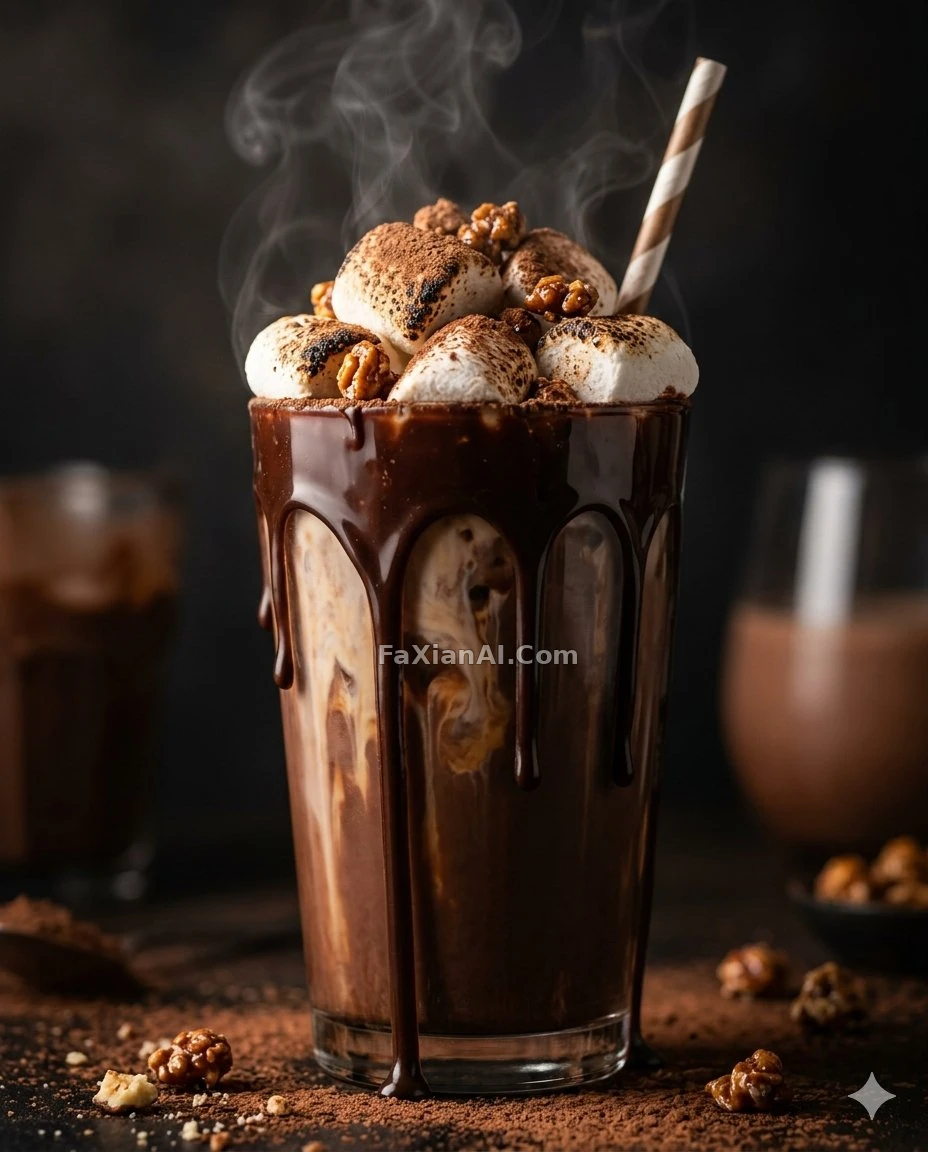
This food still life example spelled out "the moment of the action" as part of the subject field, which is why the pouring motion didn't come out as a frozen, blobby mess — this field structure applies to still-life needs in the e-commerce category as well.
Template three: multi-view and figurine work, full field example
style: 3D-rendered texture, collectible-grade detail
subject: a humanoid silhouette sculpture assembled from stone fragments, layered assembly seams clearly visible
scene: minimalist display stand, plain grey background with no distraction
lighting: overhead light with fill from both sides, highlighting the material texture
camera: front-facing composition, square 1:1, centered symmetry

This silhouette figurine example kept its layered assembly detail thanks to explicitly writing "layered seams clearly visible" into the subject field — skip that line, and the model will most likely smooth the seams away.
For multi-view or twin-figure comparison needs that require "the same character in multiple states," add one more field to the design — explicitly spell out what's different in each section, don't rely on the model to guess what should change and what shouldn't.

This real-vs-cartoon comparison example had a separate line written into the prompt: "keep the left side realistic, convert the right side to cartoon rendering, keep the clothing style consistent" — that difference statement is exactly the kind of thing that deserves its own field in a structured prompt. There are plenty more of these twin-comparison requests in the creative category.
Which models respond well to this, and which don't
This field-based approach isn't universally effective across every model. Nano Banana Pro clearly parses long structured prompts more thoroughly — the finer the fields, the more accurately it executes, and most of the template examples above were run on this model. GPT Image 2 takes a different route — it's better at "translating" a whole structured description into a conversational stream of edits, and forcing a full set of fields onto it doesn't necessarily beat just speaking plainly. See GPT Image 2 vs. Nano Banana Pro for a specific comparison. The faster Nano Banana sits between the two — don't split fields too finely with it; focusing on the big picture and letting go of minor details works better.

This designer toy grid example was run on GPT Image 2 for a structured grid layout request — field-based writing still works on this model, just with a lower hit rate than the Nano Banana Pro examples above, which confirms the conclusion that "how well structured writing works depends on the model" — it's not something you can blindly apply the same way everywhere.
Once you've got this field-design approach down, going back to look at the universal structural formula for short-sentence prompts, you'll notice the two are fundamentally the same thing — structured writing just makes the implicit ordering in the formula explicit by splitting it into fields. Once a request gets complex enough, splitting into fields is easier to maintain than piling sentences together. For how weight control pairs with fields, see prompt weight; the full rundown of the conversational-editing route is in the GPT Image 2 prompt guide. The homepage at image.faxianai.com has a full case library, and the model wiki rounds up how well each model adapts to fielded prompts — copy directly from either.