
Why Midjourney Prompts Stay Short: Where Keyword Strings and Spec Sheets Diverge
The prompts the site has collected over the past two years split into two clusters by length. On one side, short sentences that wrap up in thirty or forty English words; on the other, three to five hundred words of nested JSON. The middle ground is nearly empty. That's not a gap in skill — it's a gap in what the models expect. What you write for Midjourney and what you write for GPT Image or Nano Banana Pro are simply two different kinds of writing.
The short side: one sentence plus a string of tags
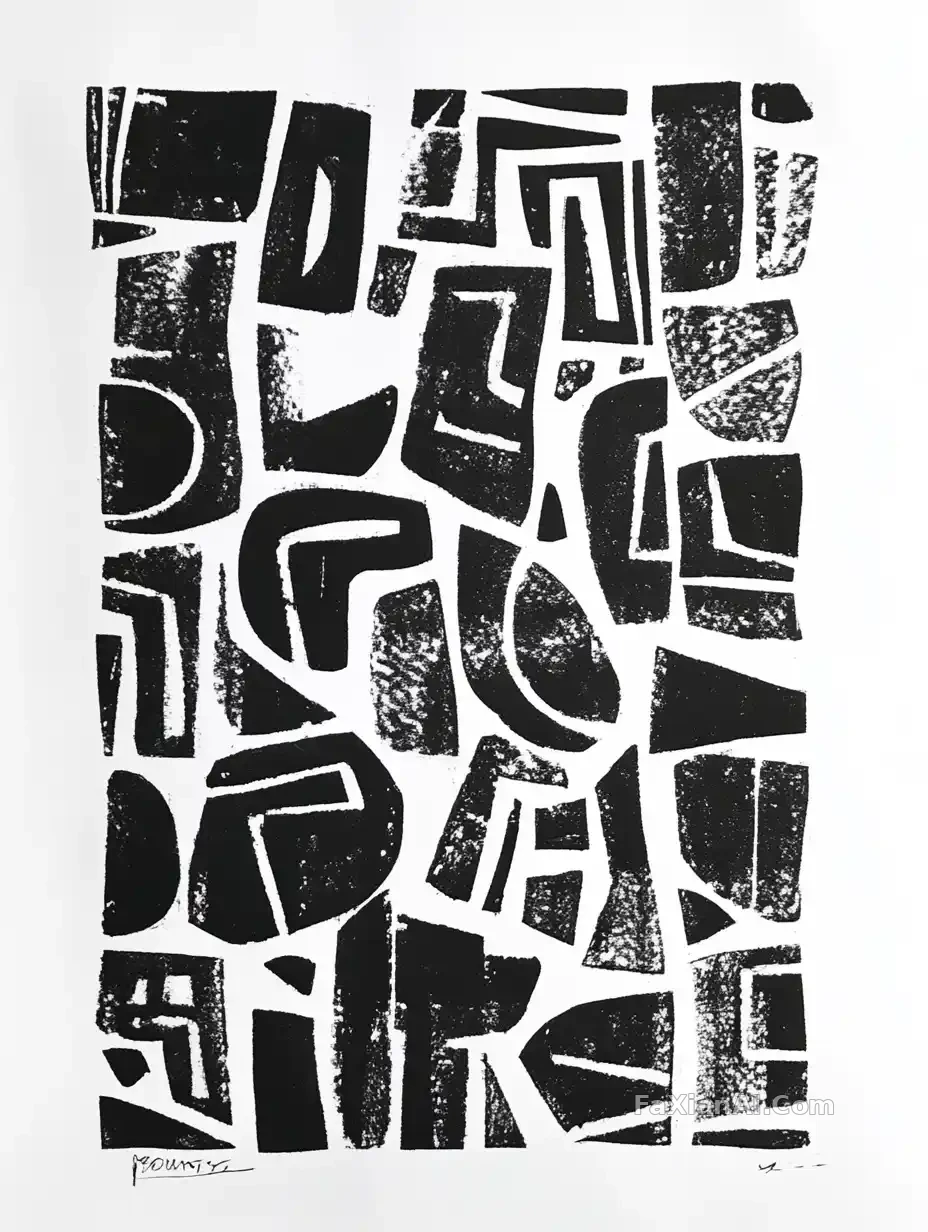
This black-and-white linocut piece is a single line: black-and-white linocut print, abstract geometric shapes, rough carved edges, pure white background, minimalist flat design. Thirty-odd words, and the image is already locked in.
It can stay this short because Midjourney treats each segment between commas as its own weighted term. The earlier a word sits, the more weight it carries — which is why the first word is `Black-and-white linocut print` and not `abstract shapes`; that order is what makes the result read as a print rather than an illustration with a print filter slapped on. Reorder the same string and the hierarchy of the image shifts with it.
That's also why Midjourney prompts almost never contain full sentences. Subject-verb-object connectors add nothing for it — they just dilute the share each keyword gets. The real work gets handed off to the other half: parameters.
Parameters are the second half of the prompt
This hanfu portrait on white sand dunes is an extreme case. The description is two sentences, followed by a long tail: `--ar 2:3 --quality 2 --style raw --sref ... --personalize ... --stylize 1000 --v 6.1`.
None of that is decoration. `--style raw` switches off Midjourney's default beautification layer; `--stylize 1000` then pushes the stylization way back up — two seemingly contradictory parameters stacked together produce that "not sweet but full of character" film tone; `--sref` carries four style-reference seeds that lock the color palette into one family. Strip the parameters and keep only the description, and the same sentence renders a different image.
To understand exactly what range each parameter actually controls, the site has a separate Midjourney parameter cheat sheet — no need to repeat it here. The point that matters: in Midjourney, the parameters and the description are two halves of the same prompt; you can't copy just the front half.
Short doesn't mean careless
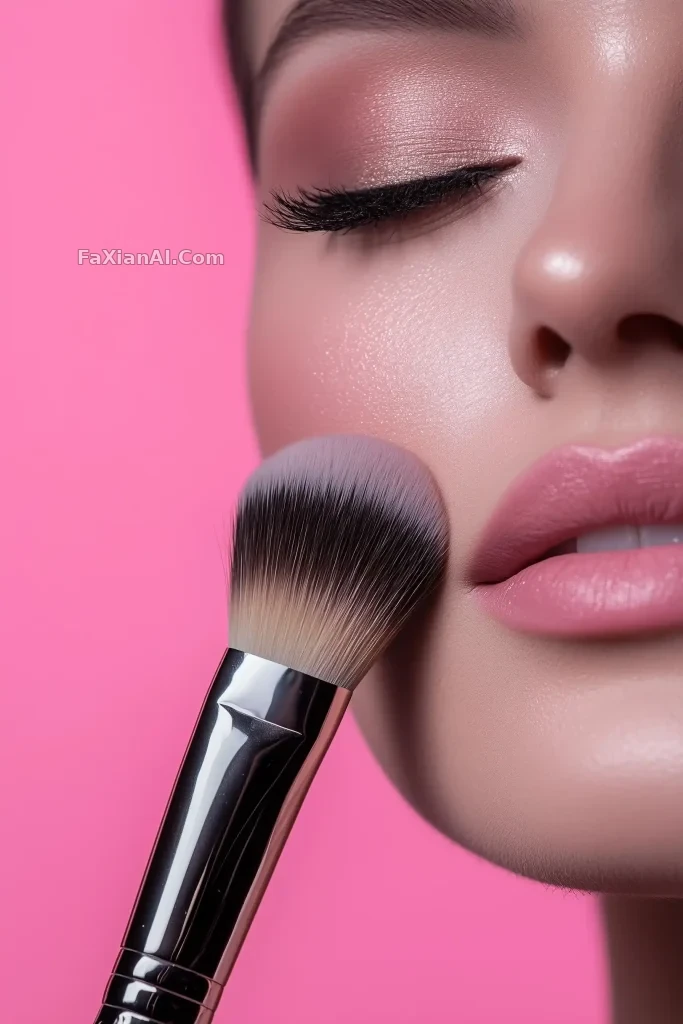
This skin close-up carries only three pieces of information: extreme close-up skin texture, a makeup brush grazing the surface, pink background. Add `--ar 2:3` and it's done.
It holds together because every word is doing something decisive — "extreme close-up" sets the distance, "grazing" sets the relationship between brush and skin (brushing past, not pressing down), the pink background sets the overall tone. Three words, each governing distance, action, and color respectively — none of them is a filler adjective.
Compare that with the moon blooming like a chiffon sunflower: the whole thing rests on a single metaphor — the moon opening like a sunflower, its petals made of light-through chiffon. What a short-sentence prompt fears most is a pile of adjectives — words like "dreamy," "beautiful," "atmospheric" produce almost nothing visually in Midjourney, yet they still eat up real weight.
The long side: writing the prompt as a spec sheet
Switch over to GPT Image 2 and Nano Banana Pro, and the whole approach changes. This floating prism product shot is structured JSON — the `negative_constraints` block alone lists three categories: no text, watermarks, or UI buttons; the product must not be cropped by the frame or off-center; no display stand or base.
This kind of writing barely works in Midjourney — it's not built to read nested structure, and negative constraints have to go through the `--no` parameter on their own. But for the newer generation of models, layered key names function as instructions in themselves: the model knows the line under `lighting` only governs lighting, and won't mix it up with `composition`. To learn this way of writing systematically, see how to write structured prompts.
Worth noting: this is also where the risk of long prompts lives. The more detail you write, the higher the odds of contradicting yourself. The long prompts on the site that actually hold up almost all stick to saying one thing per key.
Switching models for the same image: how the prompt should change
This is the question the site gets asked most. In practice it comes down to three steps.
Long to short (JSON → Midjourney): First flatten the JSON into a comma-separated string, ordered "subject → scene → material → lens → light → style," with the most important thing first. Don't translate negative constraints into sentences — fold what can be merged into `--no`, and cut what can't; Midjourney has never been great at obeying "don't do X." Move the aspect ratio from the `aspect_ratio` field over to `--ar`.
Short to long (Midjourney → GPT Image / Nano Banana Pro): Going the other way, you need to add back in. Parameters have to be translated into plain language — `--ar 2:3` becomes "portrait, 2:3 ratio," `--style raw` becomes "don't over-beautify, keep the real skin texture," and whatever stylization tier `--stylize` was set to becomes a concrete description of style strength. Paste over just the front-half description, and the newer model will most likely hand you back an image with too little information and a random composition.
What moves on both sides: word order. Midjourney assigns weight by position; the newer models assign it by structure. The former puts keywords up front; the latter puts them in the right key — only then does the effect line up.
One last reminder: don't treat a model's name as a style tag inside the prompt. Writing `in the style of Midjourney` does nothing for any model — it just wastes a weight slot.
Worth a look while you're here
For another case in the same keyword-string family, the site also has five farm animals lined up for e-commerce — a solid-color background plus the single line "all facing the camera" is exactly why it's ready to use as-is. For the trade-offs between writing prompts in Chinese versus English, there's a separate piece, Chinese or English for prompts, worth comparing against.