
Four-Panel and Multi-Panel Comic Prompts: Spell Out the Panels, Speech Bubbles and Which Panel Lands the Punchline
Getting a model to draw a "four-panel comic" is easy. Getting it to draw one with a real punchline is hard: panel one sets up, panel two moves things along, panel three turns, panel four lands. Write only "a funny four-panel comic about office life" and the typical result is four panels that each do their own thing, speech bubbles full of gibberish, a lead whose hairstyle changes from panel two onward, and a joke spread evenly across every panel, which is the same as having no joke.
Look at the comic cases on the site that come out reliably and they share one habit in how they are written: they don't describe "a comic," they write a storyboard script. Panel count, what each panel shows, who says which line, which panel gets enlarged: all of it is fixed in advance. Here it is in five parts, plus one on reading direction.
1. Fix the Panel Count and Layout First
The word "four-panel" means different things to different models. Some give a 2x2 grid, some give a single Japanese-style vertical column, and some simply give three or five panels. So the very first sentence should pin down the layout.
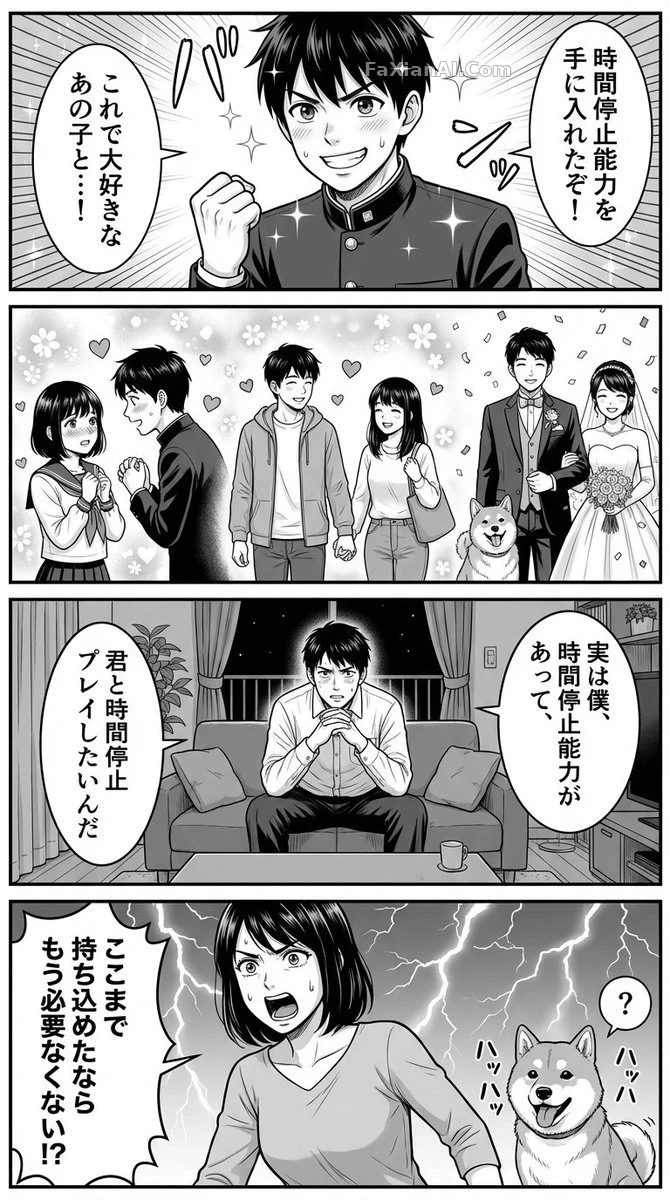
The man who stops time opens with a block of settings: "vertical four-panel grayscale manga, modern romantic comedy, seinen manga art style, Japanese dialogue bubbles." Layout, genre, art style and bubble format are handed over in one go, so each panel afterward only has to carry content.
The rainy-alley manga page instead starts by ruling out ambiguity with a negation: a genuine full manga page, not a poster and not a single illustration. Plenty of people want a manga page and get a "manga-style poster" back; this way of excluding the wrong result is worth borrowing.
2. One Block per Panel, Numbered in Order
The most reliable structure is to write Panel 1 / Panel 2 / Panel 3 / Panel 4 as separate blocks, each answering only two questions: what is in the picture, and who says what.
The time-stop case splits every panel into two lines, "scene" and "speech bubble." Panel two is bolder still: it is marked "flashback shot, no dialogue," and three small vignettes (a confession, a date, a wedding) carry the time forward. When a panel has no dialogue written, the model doesn't force a bubble into it, and the picture comes out cleaner.
This block-by-block approach works just as well for prompts written in Chinese. Another case on the site, the unknown call in the back of a car, describes only one scene, but it lines up "man in the back seat at center, phone vibrating, camera cuts to a close-up of the screen, screen reads unknown number" in shot order, and the model naturally splits it into a few escalating panels.
3. Dialogue: Name the Speaker and the Position
Dialogue that leaks across panels or lands on the wrong character is mostly the result of giving lines without saying who speaks them or where they stand.
The fake work call fixes the camera first: the man stands in the middle, friend A on the left, friend B on the right. Then every line carries a bracketed tag: "center of frame," "left of frame," "right of frame." Three characters, three lines, three positions, one to one, and the bubbles almost never end up attached to the wrong person. The editor's note on that entry also warns that once the line order moves, the landing spot of the punchline falls apart.
Two practical details:
1. Keep lines short. How stably a model draws text is inversely related to word count. Keep each bubble to a single sentence and leave longer explanations to the picture. For general techniques on text inside images, see how to write text in images.
2. State the language. If you want Japanese bubbles, write "Japanese dialogue bubbles"; if you want Chinese, spell out "Chinese dialogue, simplified characters." Leave it out and an English-language model defaults to English.
4. Put the Punchline in the Last Panel and Give It a Bigger Frame
Four-panel pacing is setup, development, twist, resolution, and the joke or reversal almost always lands in panel four. The good cases say so in the prompt, and some even give the last panel more area.
In the time-stop case, panel four stacks two reactions: the wife asks back, "You've come this far, so don't you not need it anymore?", while a small question mark floats above the dog's head. The main laugh and the follow-up jab both sit in the last panel, and the first three only set the stage.
The strike-averted dawn uses a different rhythm: it opens with a question (a strike?), flips in the middle (a midnight announcement that it's called off), and ends back in ordinary operations. Writing the turning point as something specific like "midnight announcement" is easier to draw than "later it was cancelled."
If you want to stress the ending, you can write the area outright. The four-panel about waiting a minute at the subway station has the line Give the fourth panel extra breathing room compared to the other three, which enlarges the final panel so the emotional turn is visible at a glance.
5. Character Lock: Say What Must Not Change
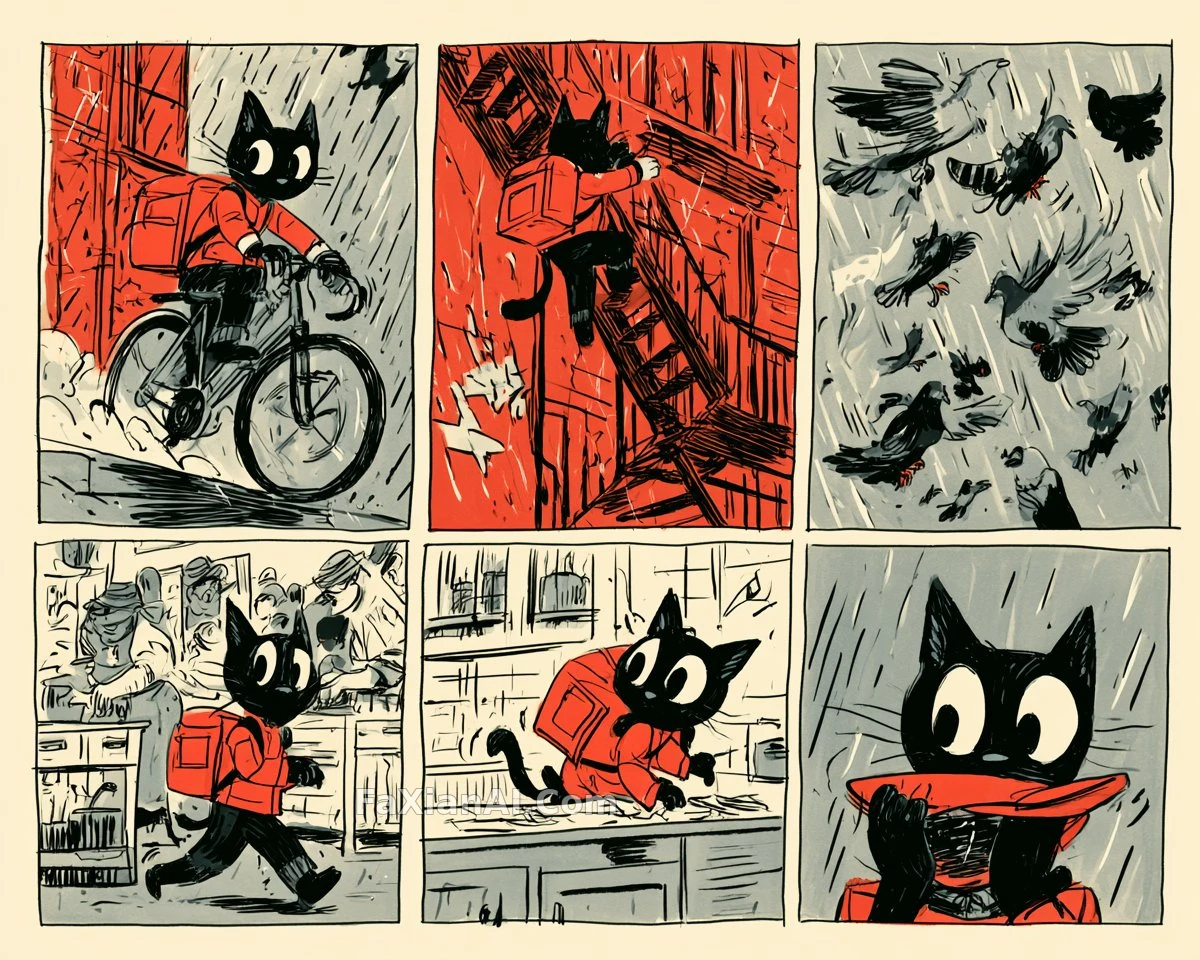
Character consistency is where multi-panel comics fail most often. The black-cat courier six-panel states the rule very plainly: face, clothes, proportions and the red courier bag stay identical in every panel; poses can change freely, identity cannot. The scene moves from a rainy night to a kitchen, the camera angle differs in every panel, and the cat is still the same cat.
It also uses a cheap trick: the palette is limited to just four colors, red, cream, gray and black. The fewer the colors, the easier it is to recognize that streak of red on the lead. For a more systematic way to lock a character, see how to write character consistency.
Another case on the site, a three-panel black-and-white comic, shows a different division of labor: the art-style keywords handle only "high-contrast black and white, hard shadows," and the situation description handles only "put it in a funny scene." The two sets of variables each do their own job, so when you change the subject later you only swap the situation half.
6. Don't Forget the Reading Direction
Japanese manga reads right to left, and Western strips read left to right. The rainy-alley case specifically writes right-to-left reading flow; leave it out and the model most likely lays the panels out in the Western order, and the sequence of bubbles and actions stops lining up. A vertical four-panel reads top to bottom, and writing the word "vertical" is usually enough.
A Four-Panel Template You Can Adapt Directly
```
Vertical four-panel comic, [art style: Japanese seinen manga / Western webcomic / minimal ink line], [black-and-white grayscale / limited three colors], English dialogue bubbles.
Lead: [one-line look: hairstyle, outfit, signature prop], same face and same outfit in all four panels.
Panel 1 (setup): Scene - [setting + what the lead is doing]; Dialogue - Lead: "[one line]"
Panel 2 (development): Scene - [the situation moves forward]; Dialogue - [who]: "[one line]" or no dialogue
Panel 3 (twist): Scene - [something unexpected appears]; Dialogue - [who]: "[one line]"
Panel 4 (resolution, slightly larger panel): Scene - [the reversal + a supporting character's reaction]; Dialogue - [who]: "[punchline]"
Reading direction top to bottom, clear panel borders, bubbles never cover faces.
```
When using it, work out the panel-four punchline first, then work backwards to decide what the first three panels need to set up. Once the panels, lines and characters are all pinned down, the only thing left for the model to improvise is the visual detail, which is exactly what it is good at. Multi-panel photographic layouts (a 2x2 fashion editorial, a nine-grid outfit change) follow similar logic with a different emphasis; read them side by side with what to lock and what to place in multi-panel image prompts.