
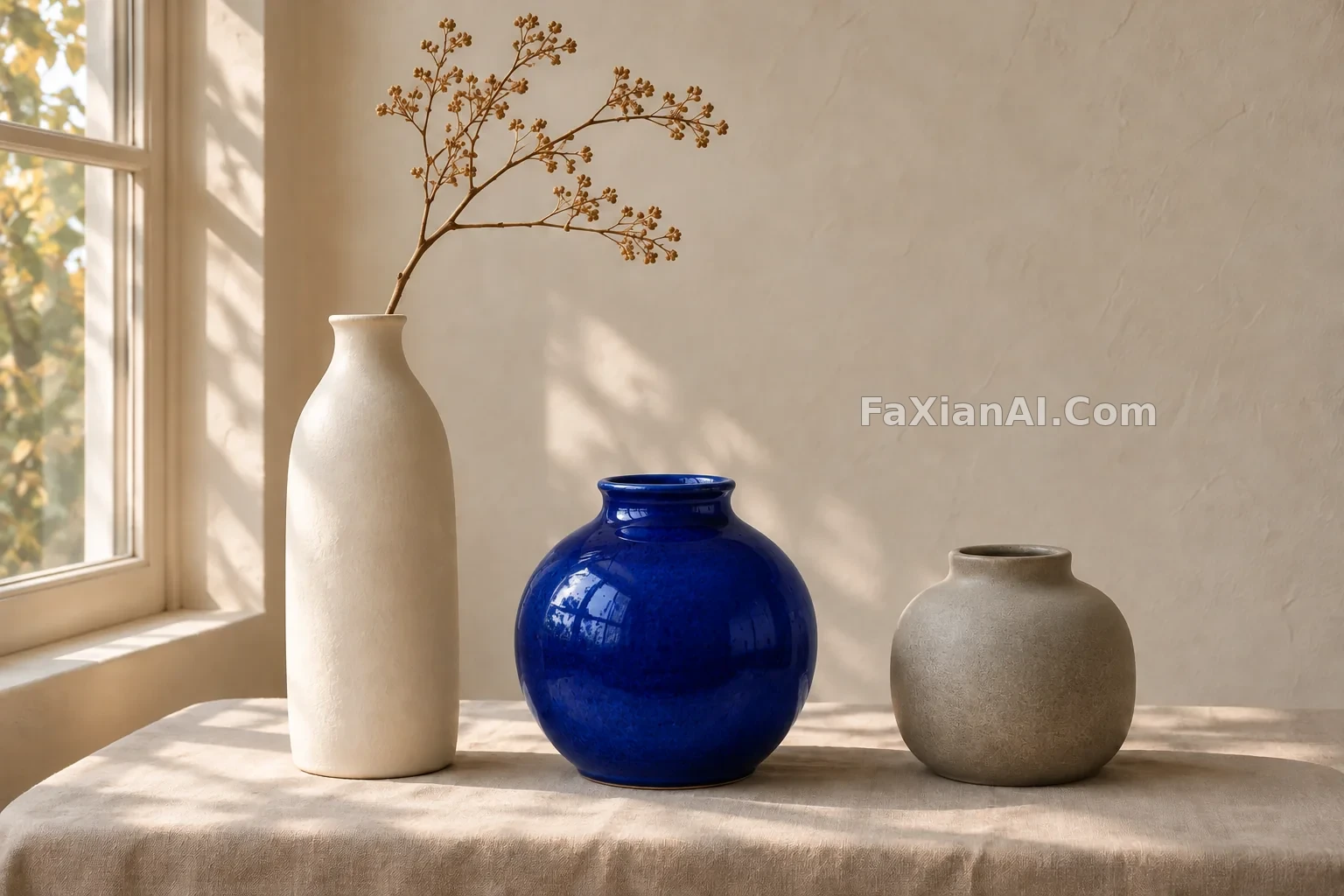
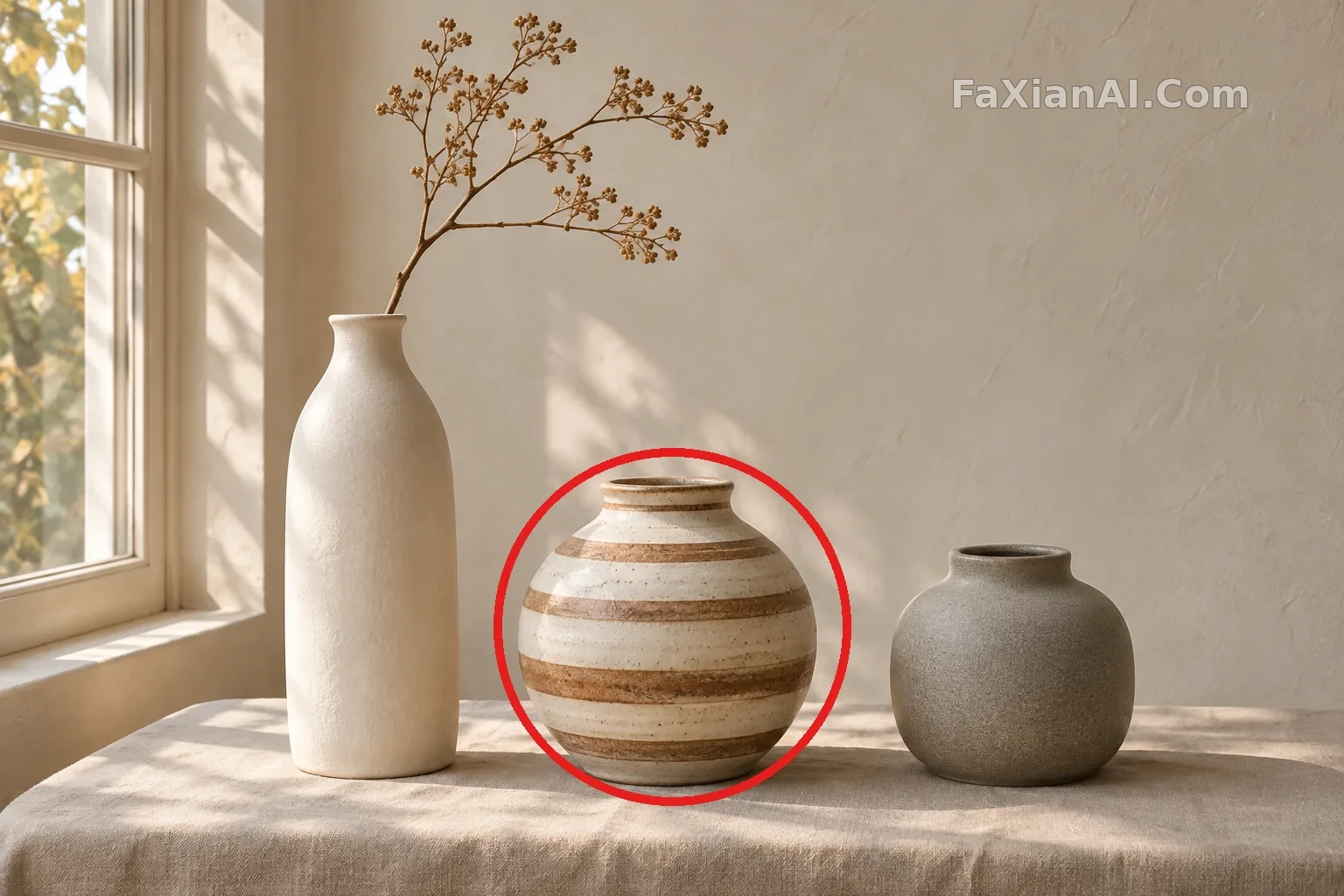
紅圈圈住哪隻,就改哪隻花瓶
不用描述位置,圈一下就能指定要改的物件,其他東西保持不動。
寫法要點
✍️ 官方 API 的做法是把標註放在單獨的透明圖層裡傳給 markup 引數。這張用的是簡化版,把紅圈直接畫在圖上當參考。第二張就是標註後的原圖,可以比較哪些地方變了。
完整提示詞
📋 提示詞 自然語言
Edit the reference photo. Change only the striped vase inside the red circle into a glossy cobalt-blue ceramic vase of the same shape, size and position. Remove the red circle completely. Keep everything else exactly the same: the white tall vase, the grey vase, the branch, the linen cloth, the wall, the window and the lighting direction.
📋 中文譯寫版 自然語言
編輯參考照片。只把紅圈內的條紋花瓶改成有光澤的鈷藍色陶瓷花瓶,形狀、大小和位置不變。完全去掉紅圈。其他一切保持不變:白色高花瓶、灰色花瓶、枝條、亞麻桌布、牆面、窗戶和光線方向。
相關案例


更多 GPT Image 2.6 案例
全部 GPT Image 2.6 案例 →


相關教程
GPT Image 2.6 能出 SVG 了,但它不是萬能的向量轉換器photo abstract editorial怎麼寫:留白比堆細節更難浮世繪提示詞:寫“ukiyo-e”不夠,要寫清這是一張印出來的畫