
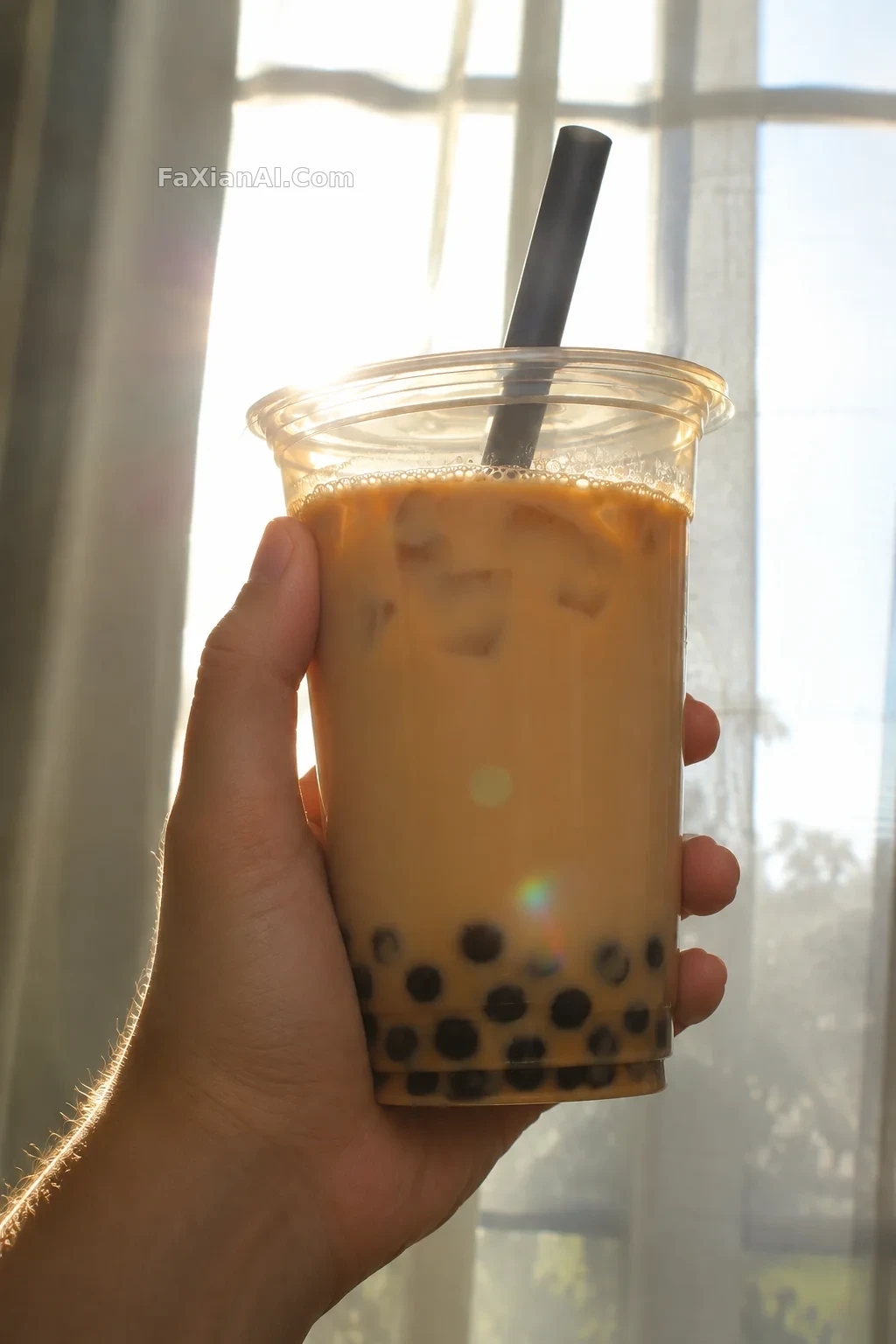
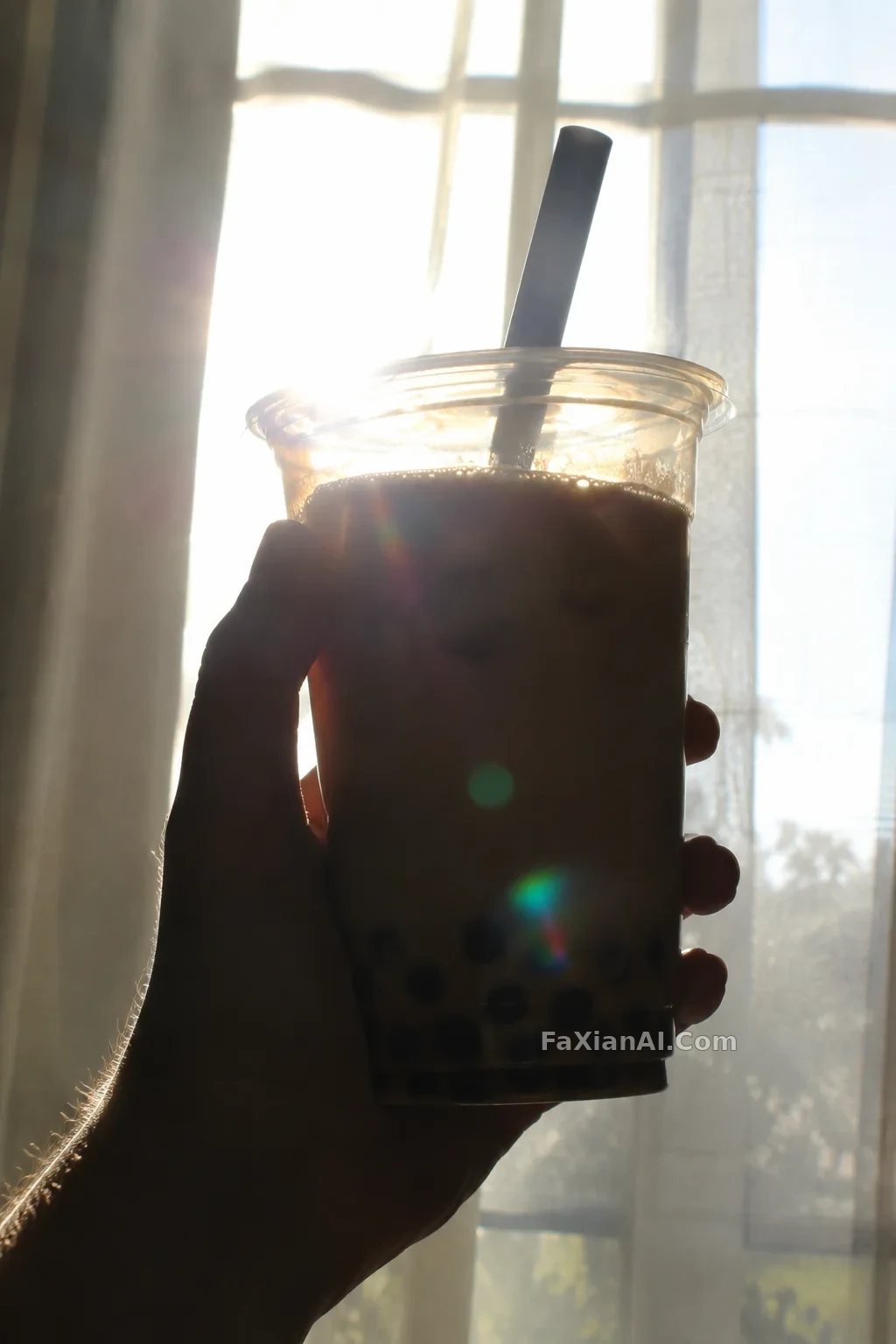
逆光奶茶杯補光並保留背景虛化
給逆光的杯身補一層柔光,背景虛化強度保持不變。
寫法要點
✍️ 凌晨改的圖最怕補光變成全域性提亮。把補光物件限定在杯身,再單列「背景虛化強度不變」,等於給改動加了個作用域。
完整提示詞
📋 提示詞 自然語言
Edit this photo: add soft fill light to the front of the cup held in the hand, so the milk tea's colour and translucency read clearly, while keeping the backlit rim glow on the edges. Keep unchanged: the background bokeh, with the same blur strength and shape; the hand pose, fingers and skin tone; the cup shape, lid and straw, all unbranded; the composition; and the backlight direction. Avoid hotspots or blown-out patches on the cup. No logos, no watermark, no added text.
📋 中文譯寫版 自然語言
編輯這張照片:給手中杯子的正面補一層柔和的光,讓奶茶的顏色與通透感讀得清楚,同時保留邊緣的逆光輪廓光。保持不變:背景虛化,模糊強度和光斑形狀都不變;手的姿勢、手指和膚色;杯身、杯蓋和吸管的形狀,均無品牌標識;構圖;逆光方向。杯子上不要出現死白的光斑。不要標誌、水印和多餘文字。
相關案例
更多 GPT Image 2.6 案例
全部 GPT Image 2.6 案例 →
相關教程
GPT Image 2.6 能出 SVG 了,但它不是萬能的向量轉換器ChatGPT 換背景提示詞:12 條 background change prompt 覆蓋證件照到電商白底飲品餐飲廣告海報提示詞:產品、賣點、價格三層字怎麼排,模型才不亂塞