
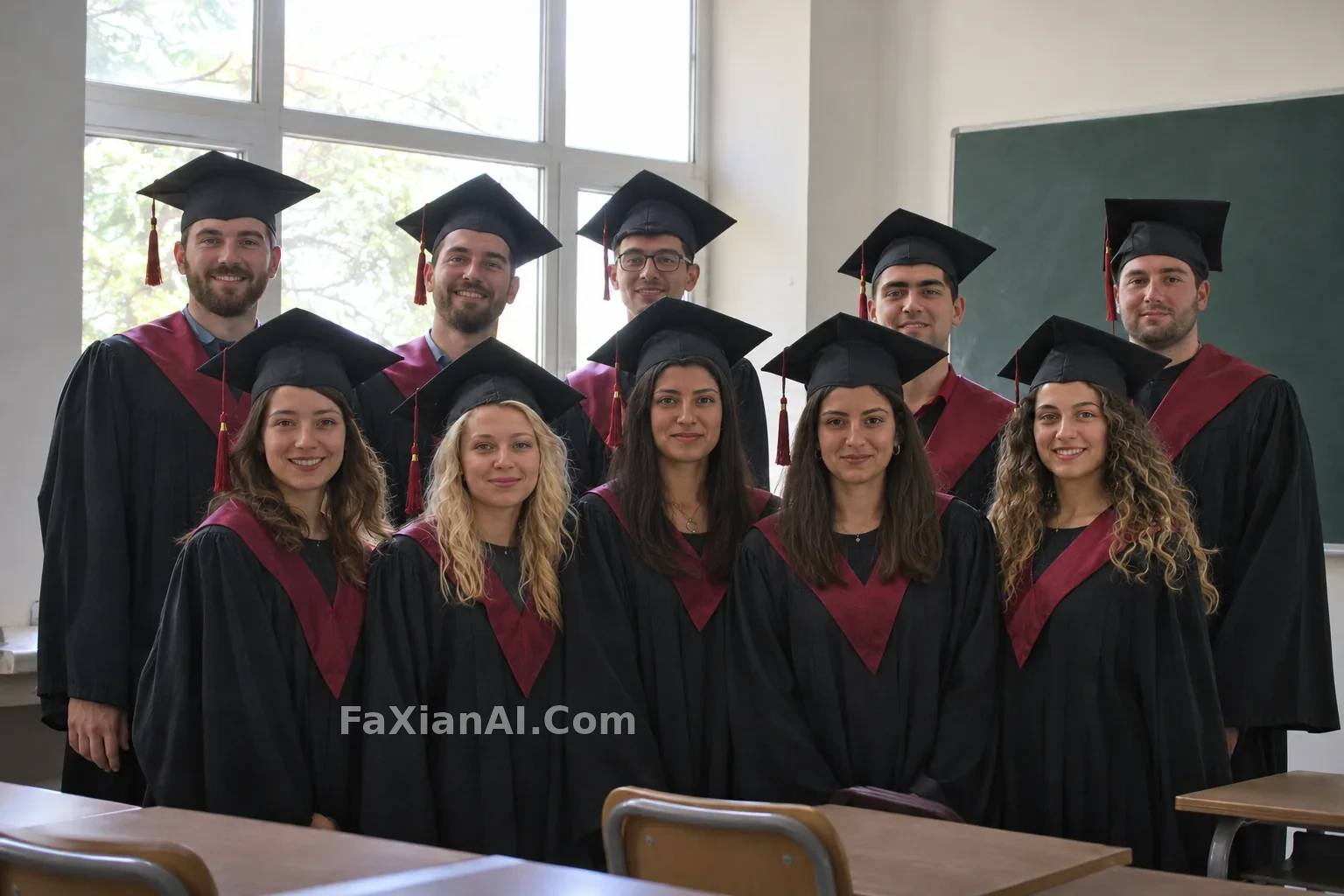
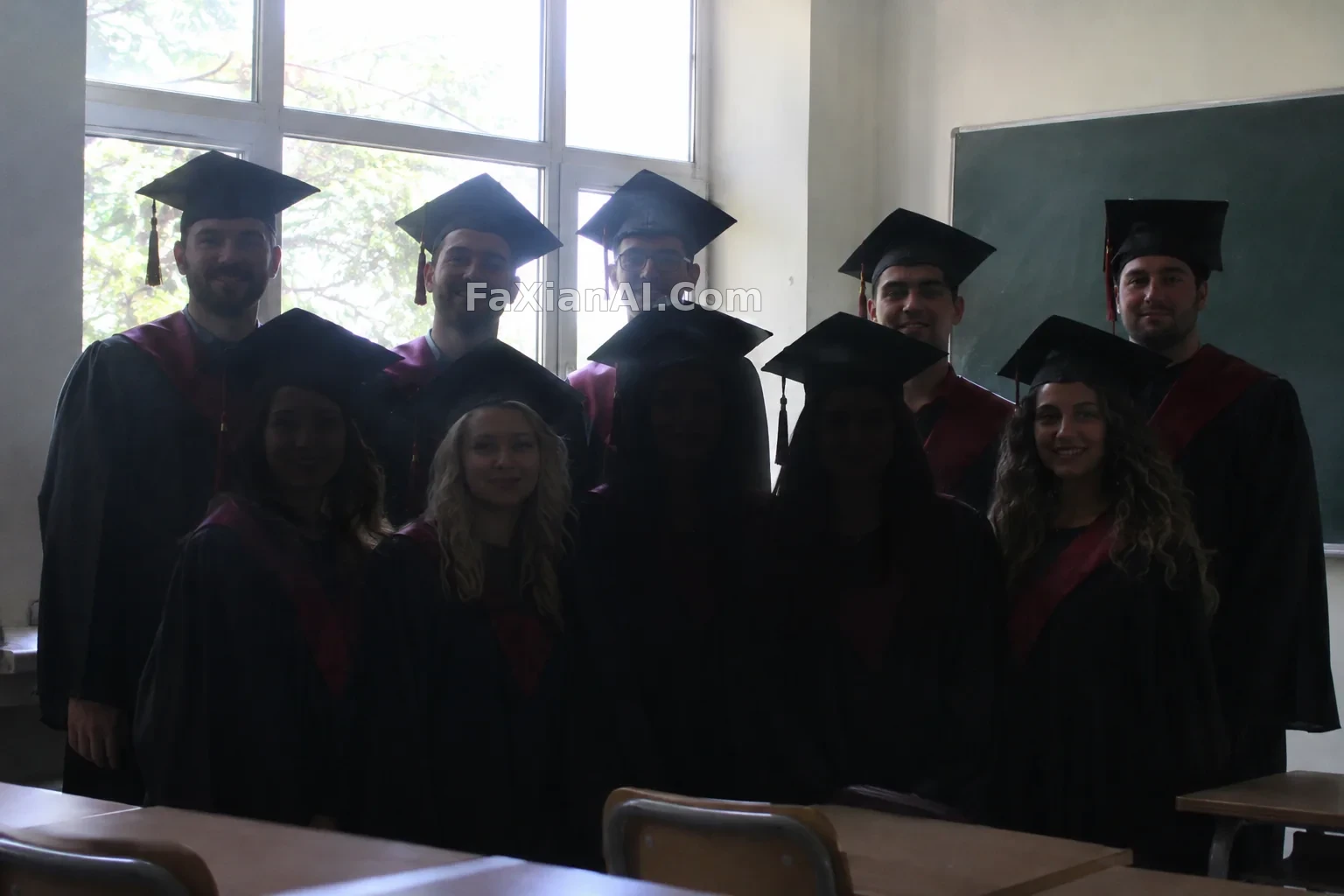
畢業合影分割槽補光提亮人臉
只給被逆光壓暗的人臉補光,保持其餘畫面的光感。
寫法要點
✍️ 補光講分割槽而不是整體提亮:整體提亮會把逆光的畫面一起洗掉。只寫暗處的臉“提到可辨認,保留膚色和原有表情”,皮膚的紋理留著,別磨平。
完整提示詞
📋 提示詞 自然語言
Edit the uploaded classroom graduation group photo: lift the exposure only on the faces and upper bodies that are underexposed by the backlight, using a soft, even local fill so every face becomes clearly readable with natural skin tones. Keep the bright window light and backlit feel of the rest of the scene. Keep unchanged: each person's identity, face, expression, position and clothing, the composition and camera angle. Do not smooth skin, do not beautify, do not change anyone's features. No logos, no text.
📋 中文譯寫版 自然語言
編輯上傳的教室畢業合影:只提亮被逆光壓暗的人臉和上半身,用柔和均勻的區域性補光,讓每張臉都清晰可辨,膚色自然。其餘畫面保留明亮的窗光和逆光感。以下保持不變:每個人的身份、面容、表情、位置和服裝,構圖和拍攝角度。不要磨皮,不要美化,不要改變任何人的五官。無標識,無文字。
相關案例


更多 GPT Image 2.6 案例
全部 GPT Image 2.6 案例 →

相關教程
GPT Image 2.6 的 Flare 和 Sunburst 怎麼選,complexity 又該設多少老照片修復上色提示詞:restore old photo prompt 劃痕泛黃一次說清楚巨物配小人施工隊:微縮人群提示詞裡的三個比例開關