
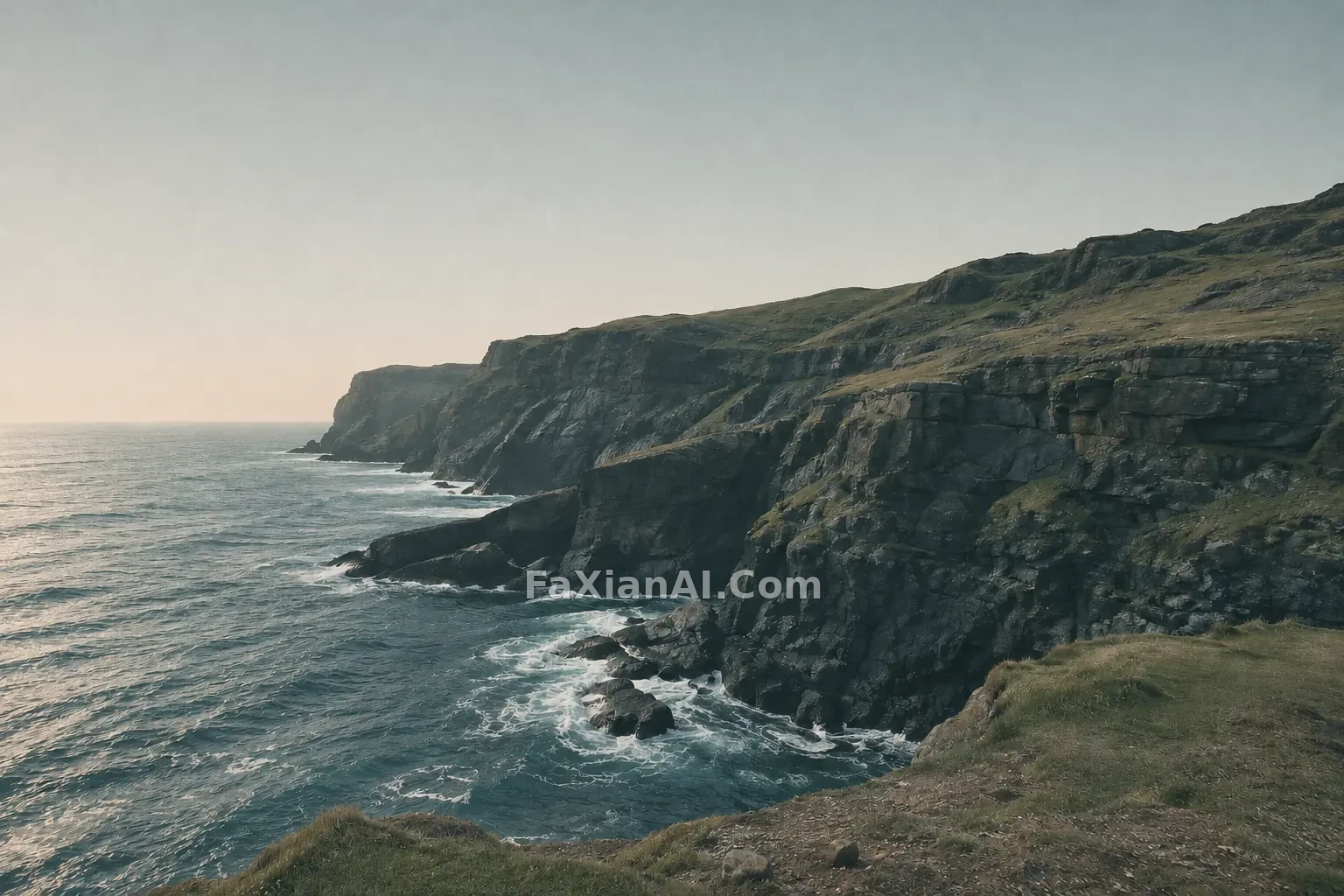
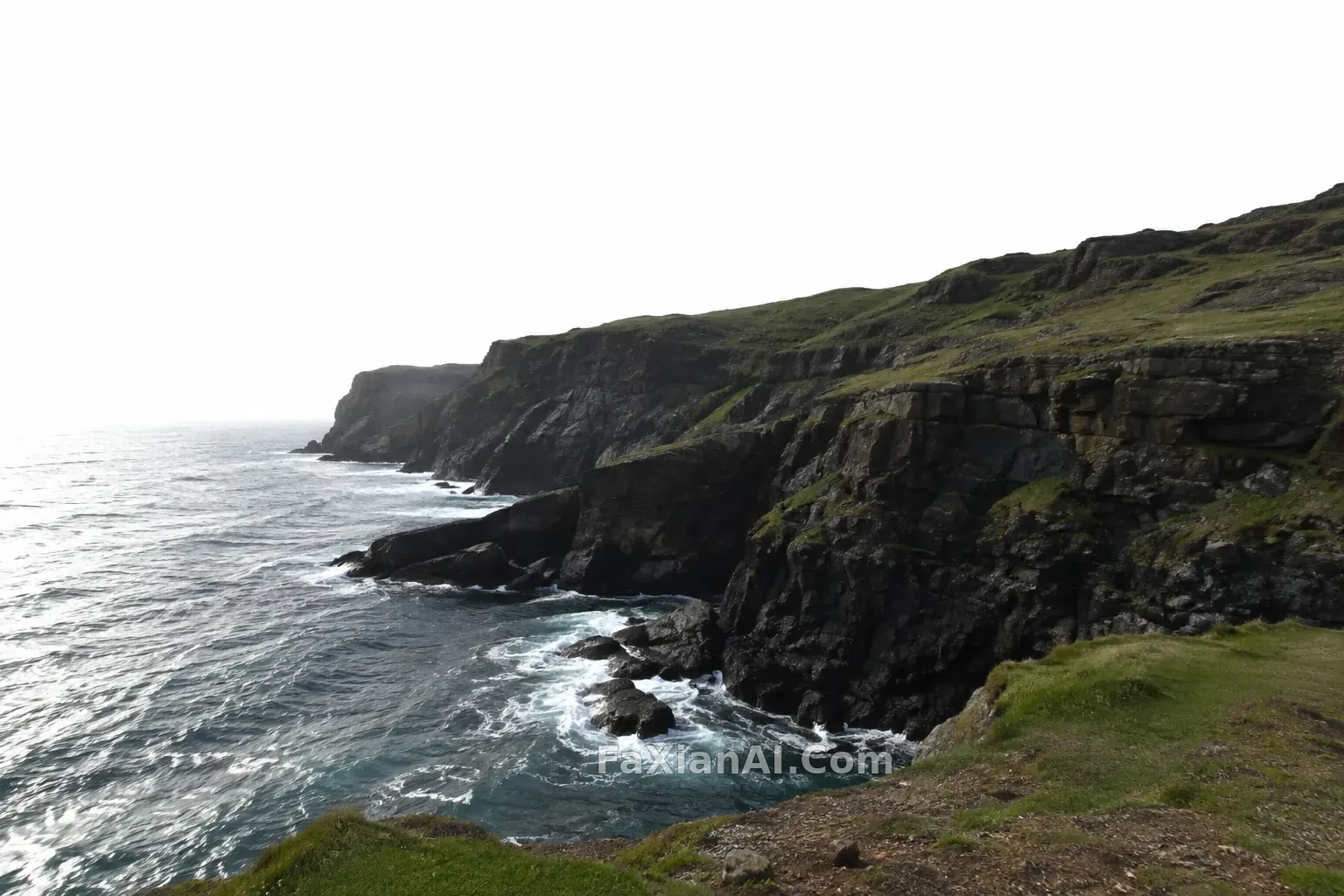
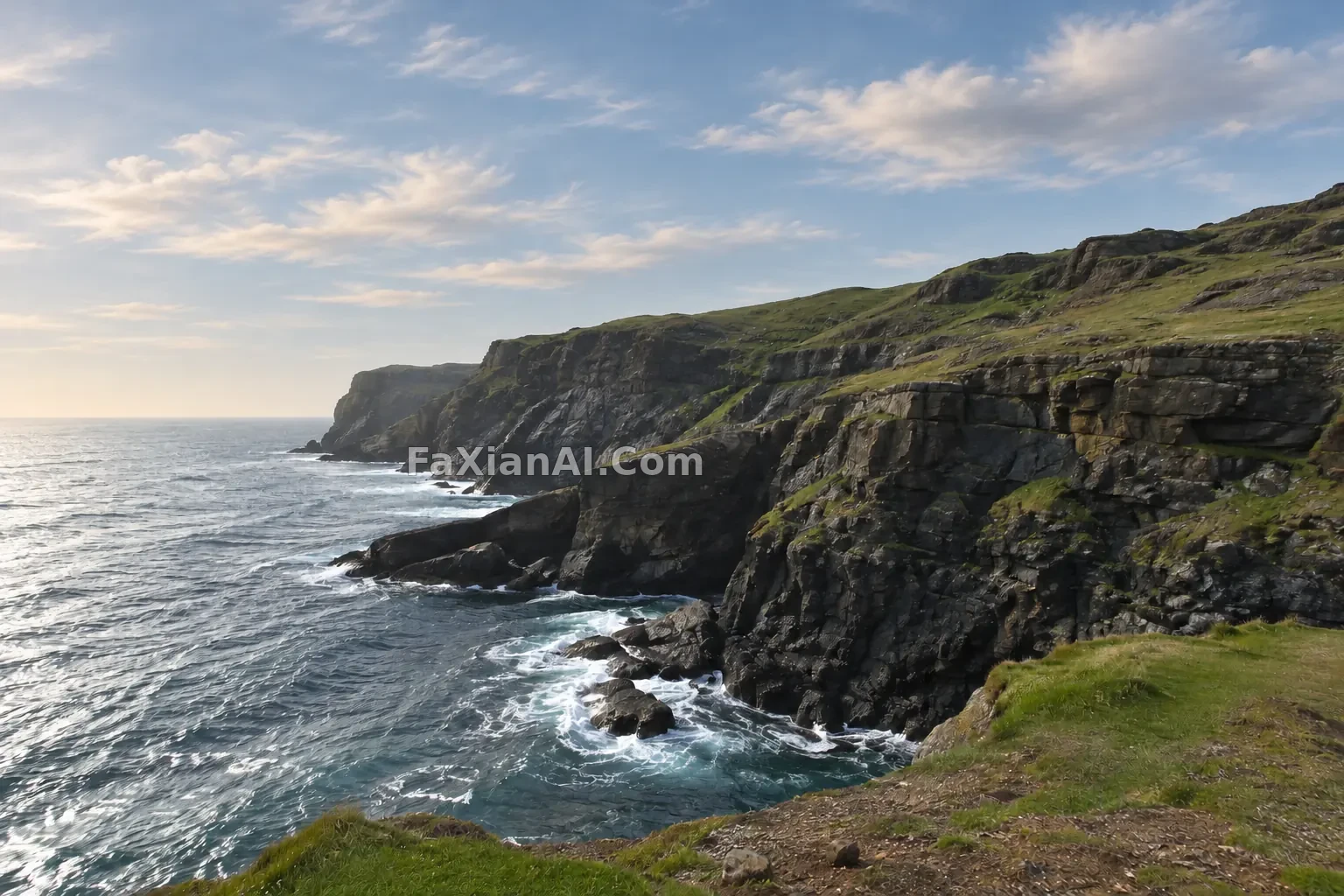
海岸悬崖调成低饱和电影色
整体压低饱和,阴影偏冷、高光偏暖,构图与内容一律不动。
写法要点
✍️ 调色像烘焙曲线:前调压饱和,中段冷阴影,尾韵留一点暖高光。三段分别写,比一句“电影感”管用得多。最后补一句“不增减任何物体”,免得它顺手加云。
完整提示词
📋 提示词 自然语言
Color grade the uploaded coastal cliff photo into a low-saturation cinematic look: desaturated greens and blues, slightly cool teal shadows, gently warm highlights, soft contrast with lifted blacks, and subtle film grain. Recover some tone in the pale overexposed sky without adding clouds or changing its shape. Do not move, add or remove any object; keep the cliff, sea, grass and composition identical. No logos, no text, no watermark.
📋 中文译写版 自然语言
把上传的海岸悬崖照片调成低饱和的电影色调:绿色和蓝色降低饱和,阴影略偏冷青,高光轻微偏暖,对比柔和、黑位微微抬起,带一点细腻的胶片颗粒。让过曝发白的天空找回一些层次,但不要加云,也不要改变天空的形状。不移动、不添加、不删除任何物体,悬崖、海、草地和构图保持一致。不要标志,不要文字,不要水印。
相关案例
更多 GPT Image 2.6 案例
全部 GPT Image 2.6 案例 →
相关教程
GPT Image 2.6 能出 SVG 了,但它不是万能的矢量转换器老照片修复上色提示词:restore old photo prompt 划痕泛黄一次说清楚钩针玩偶提示词:针脚、线材和光,比“可爱”两个字重要