
Old Photo Restoration Prompts — Scratches, Yellowing, and How to Nail a Restore Old Photo Prompt in One Go
Back in the day, restoring a negative at a photo studio meant the technician crouched under a red safelight for half the night, dabbing at scratches with a cotton swab one stroke at a time — there was no rushing it. These days the work has moved to typing, and it's a lot faster, but the underlying logic hasn't changed — turning an old photo into something fresh still means spelling things out step by step. You can't expect one line like "restore this" to fix decades of creases, mold spots, and yellowing all at once.
For a restore old photo prompt, write "preserve" before anything else
The most common mistake in restoration prompts is focusing entirely on what to remove and forgetting to specify what needs to stay. Facial proportions, the original expression, the real texture of the skin — if the prompt doesn't explicitly call these out as things to preserve, the model can end up "restoring" the face into something too smooth: cleaner-looking, but no longer recognizably the same person.
- "Restore this old photograph: repair scratches, creases and dust spots, keep every facial feature and expression identical to the original, do not smooth away real skin texture."
- "Remove scratches, mold spots and stains from this old photo while preserving the original lighting direction and shadow falloff on the face."
- "Repair the fold line running through this photo and blend both halves so the seam is invisible, keep clothing texture continuous across the repaired area."
- "Fix the yellowing and uneven exposure on this old photo, balance highlights and shadows, keep the original film grain visible at a low intensity."
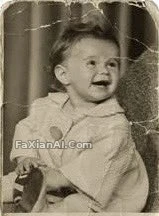
Here's a full restoration-and-colorization case from the site — the scratches are gone, but the texture and lighting that should still be on the face weren't lost. That's the right sense of proportion for a "restore old photo prompt."
Where old photo restoration ai most often goes wrong: the background
Backgrounds are more prone to being "freely reinterpreted" by the model than faces are. Old photo backgrounds are often wallpaper or wall surfaces with repeating patterns, and once a damaged patch needs to be filled in, the model — if it isn't told to extend the surrounding pattern — is quite likely to fill in a patch that clashes stylistically with everything around it.
- "Reconstruct the faded background of this old photo, keep the wallpaper pattern consistent with the surrounding area, do not add modern elements like power lines or plastic signage."
- "Repair the torn corner of this family photo by extending the visible mural pattern behind the subject, keep the reconstructed area seamless with the rest of the image."
- "Upscale this old photo to a higher resolution, sharpen facial and hair details without introducing plastic-smooth skin, keep the background texture at the same level of detail as the subject."
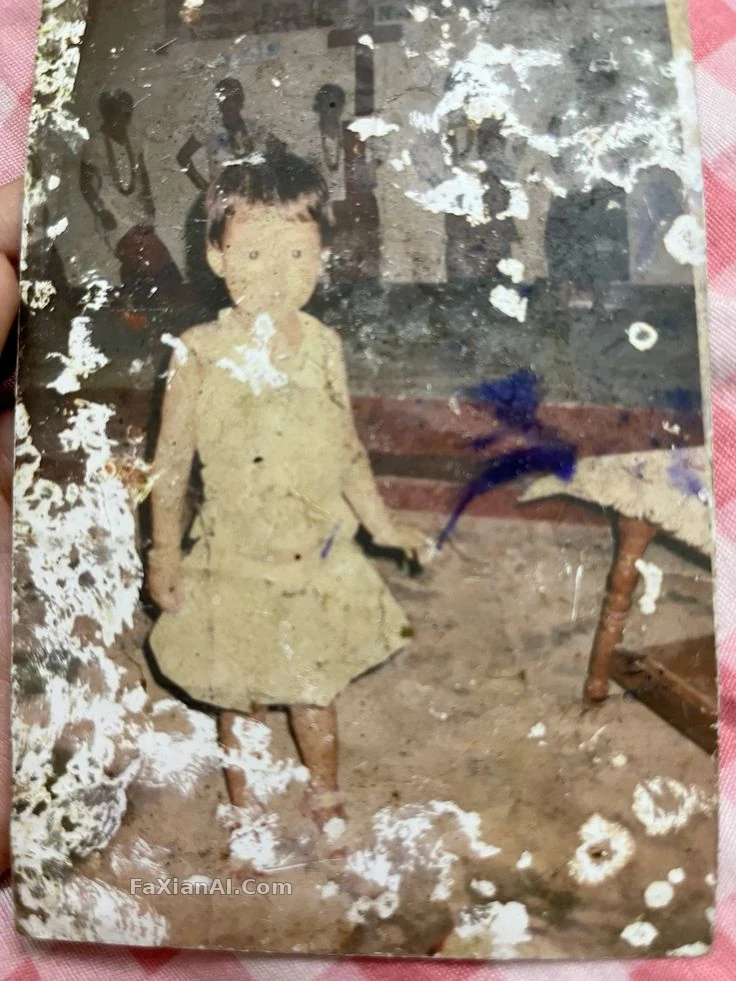
This one's mural-background handling didn't just wing it — the scratches are gone, and the mural's brushwork is still there. Getting that balance right is harder than removing the scratches in the first place.
For a colorize black and white photo prompt, err on the side of muted, never vivid
The biggest failure mode in black-and-white photo colorization isn't whether color gets added — it's that it comes out too "digital." Crank the saturation and the period feel evaporates instantly, clashing with the actual texture of the photo.
- "Colorize this black and white photo naturally: skin tones warm but muted, hair color matched to typical dark tones of the era, clothing colors desaturated rather than vivid, background softly toned down to keep focus on the subject."
- "Colorize this photo with era-accurate color science: 1970s warm film tones, slightly faded reds, avoid modern digital saturation."
- "Restore this photo taken by a disposable camera in the 1990s, fix the flash overexposure on the face but keep the film grain and soften the red-eye by about 70 percent rather than removing it completely."
- "Recreate this old photo at DSLR-quality clarity: refine skin texture subtly, sharpen eyes and hair strands, keep facial identity 100 percent consistent with the original."
- "Fix the faded colors on this old wedding portrait, restore fabric texture on the dress, keep the couple's facial identity unchanged."
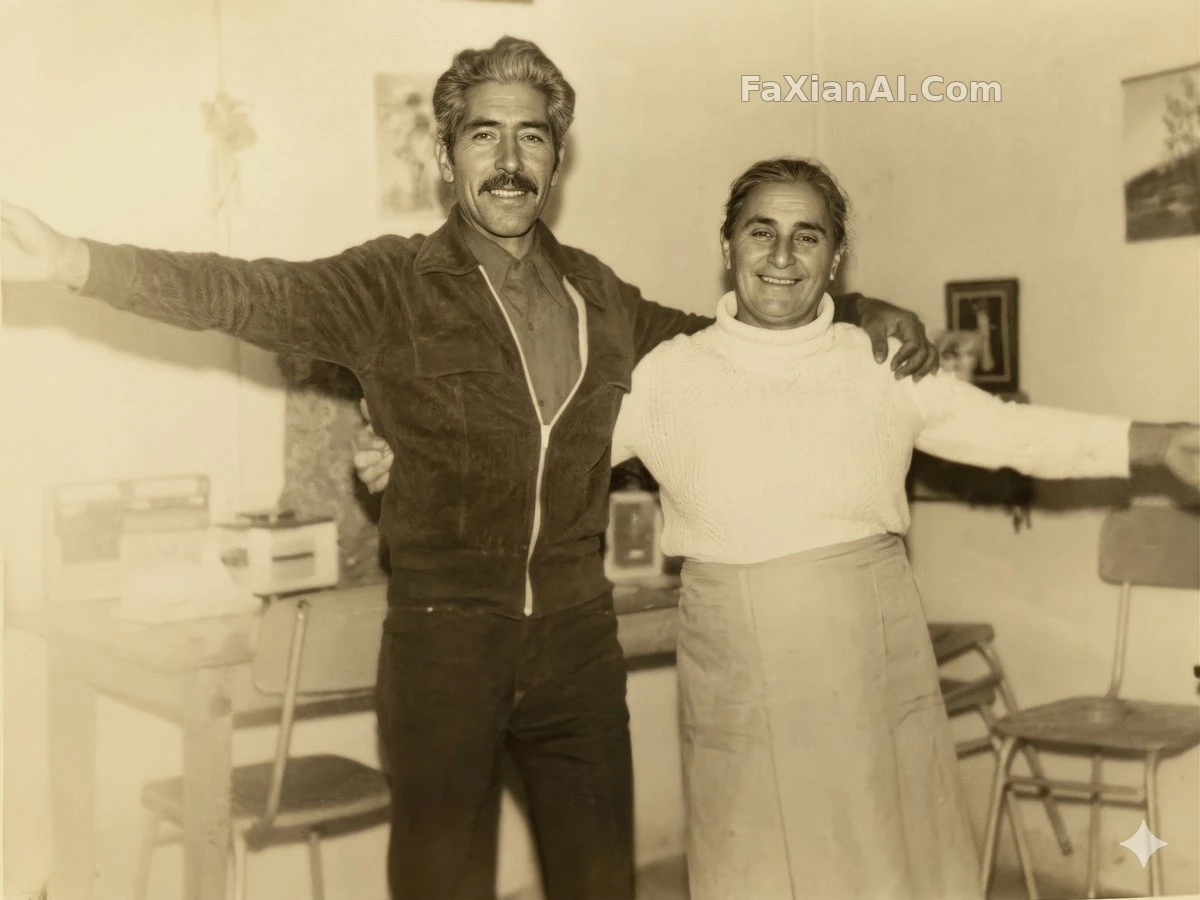
This 4K restoration is a good demonstration of "change as little as possible" — the resolution went up, but the period character wasn't scrubbed away.
Three criteria for judging whether a restoration is good
Judging whether an old photo restoration ai result is any good doesn't need to be complicated — just check three things: does the face still match the original person, are the scratches and mold spots actually gone, and (if it was colorized) is the color over-saturated. Fail even one of these and the image needs another pass.
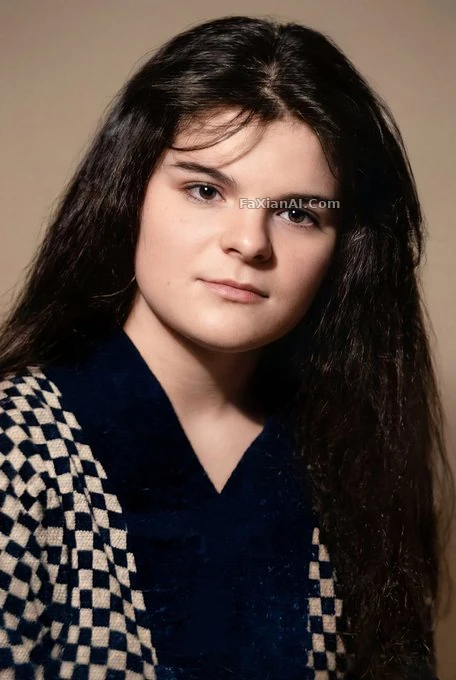
This restoration example basically follows all three — the scratches are gone, and the face is still the same face.
Restoring an old photo works on the same principle as restoring an old negative — it's not about speed, it's about proportion. Being specific in the prompt, spelling out what needs to be preserved, gets you a lot further than stuffing it with empty words like "clear, high-definition, perfect." The re-shooting step matters too — a lot of people just photograph an old print with their phone and throw it straight into an editing tool. Actually shooting it flat, with enough light, before restoration matters more than how detailed the restoration prompt is — if the source material itself is poor, no amount of precision in a colorize black and white photo prompt will bring back that period richness in the color.
For more on handling the texture of other vintage objects, How to Keep Character Consistency uses a similar approach; for sentence structure in prompts generally, the prompt formula piece goes into more detail. All these restoration and colorization examples live under the photo editing category. Re-shooting an old photo is a job worth taking slowly — no need to rush it. The homepage at image.faxianai.com has more prompt examples you can copy directly.