
The Complete Nano Banana Pro Prompt Guide: Structured Writing, Text Rendering, and Multi-Image Consistency
Let's clear up the name first: Nano Banana Pro isn't a product name any company registered — it's the nickname the community gave to Google Gemini 3 Pro's image capability, following the same logic as how Nano Banana came to refer to Gemini 2.5 Flash Image. The name is casual, but the capability isn't — where it's strong and where it's weak need to be broken apart and discussed separately, not waved away with a single "it's really good."
Most of the site's cases so far were run on this model, covering portraits, e-commerce, illustration, and design posters. Before writing this, I went through the common issues one by one: which prompt-writing approaches it handles well, and which ones are inefficient with it. Below is a breakdown by specific capability, no hand-waving.
The strengths come down to three specific things, not a vague "it's good"
The first is consistency across multiple reference images. Requiring the same face, the same prop, to stay consistent without drifting across a 3x3 or 4x4 grid used to be a disaster area — it's noticeably steadier now. The second is on-image text rendering — big lettering on a poster, small print on a label — it can render accurately based on what you write, no longer garbled strokes. The third is instruction-following on long structured prompts — the more finely the fields are written, the more accurately it listens, which is the opposite of what many models do, where "too many words" means things get missed.
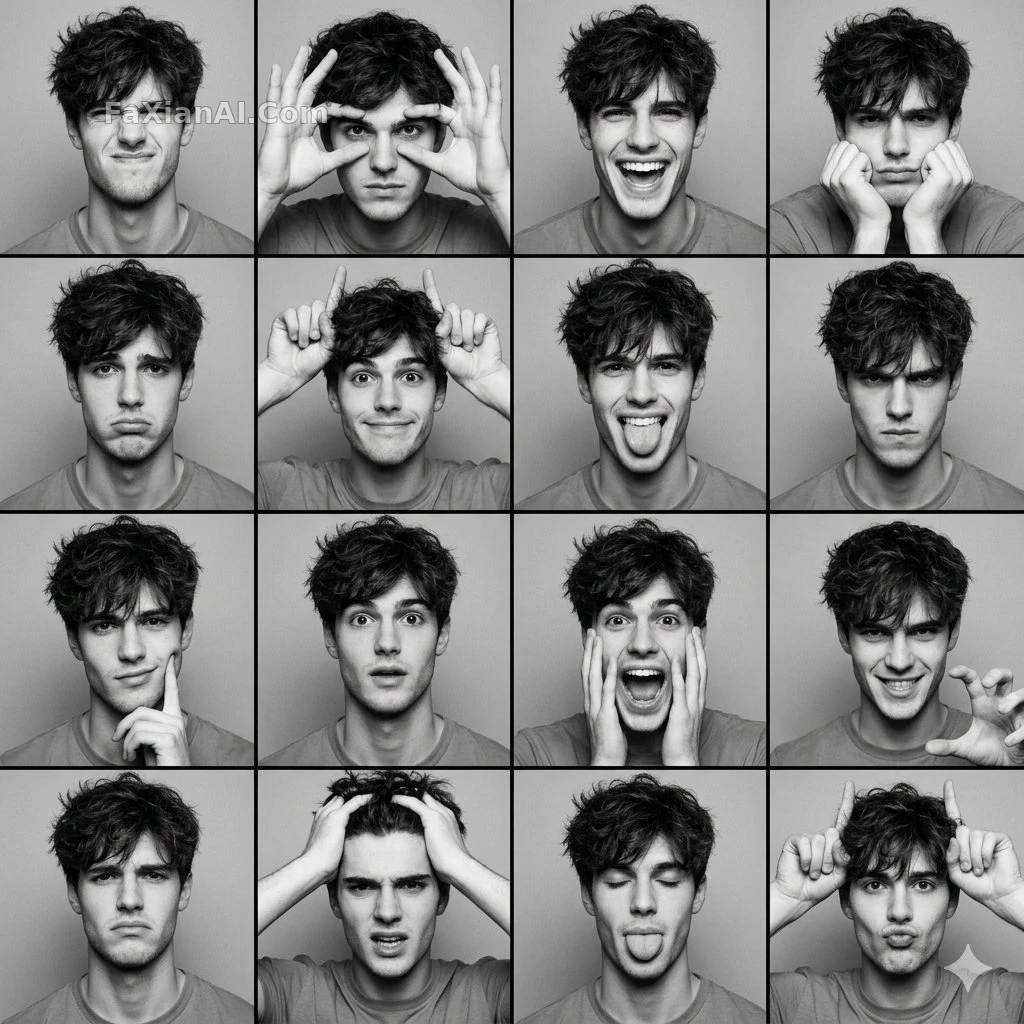
This set of expression photobooth panels outputs sixteen faces at once, and not a single one has distorted facial proportions — a direct demonstration of that consistency strength, and one of the stronger examples in the portrait category.
How to write nano banana pro prompts: a structured template
The short-sentence, adjective-stacking approach clearly loses out on this model. It responds much better to structure — break requirements down into fields and lay them out one at a time, and it follows them far more accurately than a single paragraph crammed with every requirement at once. Here's a template you can copy directly:
- style: the overall style qualifier, e.g. "high-resolution fashion photography, film grain"
- subject: who the subject is, what state they're in — specific down to pose and expression
- scene: the scene and props, spelling out the spatial relationships
- lighting: light direction and color temperature — don't just write "nice lighting"
- camera: aspect ratio, lens angle, focal point
- text (if text needs to appear on the image): put the exact copy in quotation marks

This mermaid seated-pose portrait was written exactly to this field structure — pose, props, and lighting spelled out separately, and the resulting composition doesn't fight itself. For a more complete approach to field design, see the structured prompt guide — it follows the same logic as the prompt writing formula, except this model tolerates a more structured approach and can absorb more fields.
How to get on-image text rendering right
This is the most commonly wasted capability in what gemini 3 pro image can do. The typical failure isn't that the text can't render — it's that the prompt never spells out what the text should actually say. Write "the poster has promotional copy" and the model can only guess; write "large text in the center of the poster reading 'FINAL HOURS,' high-contrast sans-serif font, deep red text on a beige background," and now you're actually using this capability. Always put the exact copy in quotation marks, and keep it to one sentence — sentences longer than about ten words see a noticeably higher rendering-error rate.

This promo poster has no distorted text, no extra strokes — the color blocks and font weight followed exactly what the prompt specified. Cases in the design category are basically all steady because the copy was locked down with quotation marks.
How to keep multi-image reference consistency in practice
Give it multiple reference images and ask it to recognize this as the same character, the same set of gear — this capability gets the most use in character-design sheets and turnaround images. The key isn't "giving it more reference images" — it's making clear in the prompt which information layer each image corresponds to: the first image locks the face, the second locks the clothing material, the third locks the prop details. Spelling it out layer by layer is far steadier than vaguely writing "reference these images."
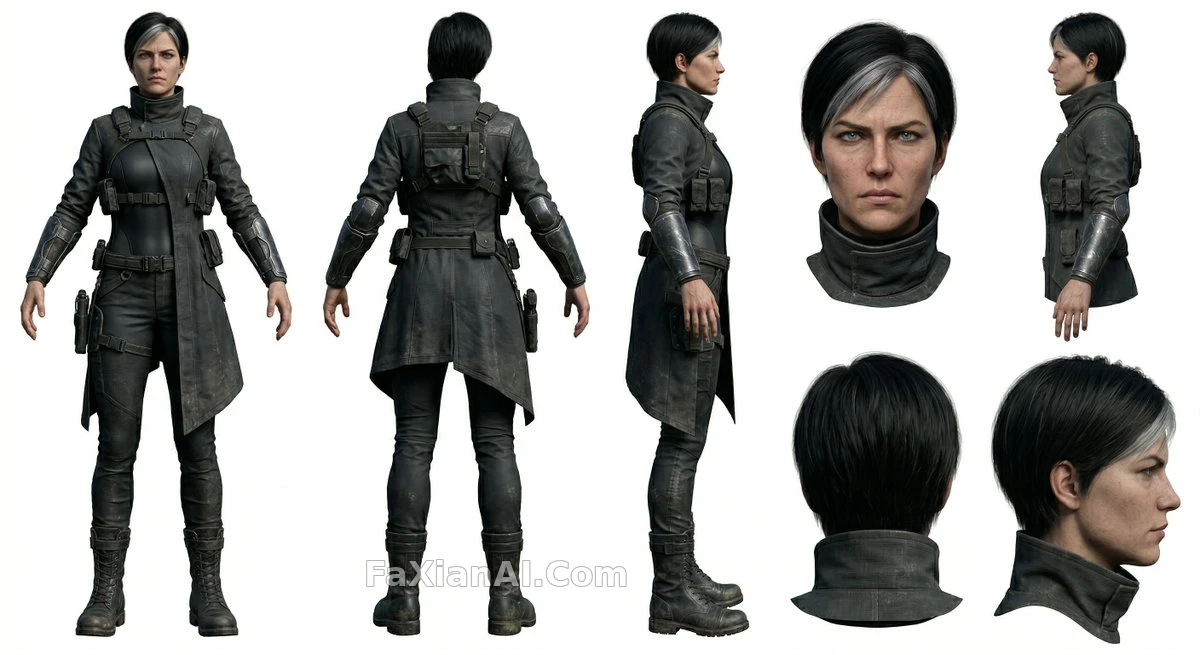
This agent turnaround set keeps the gear details consistent across all eight angles — this kind of character-design need in the illustration category is pretty much the natural application for this capability.
Fine-grained layout, like e-commerce infographics, also benefits from this structured approach
E-commerce detail pages, timeline infographics — scenes needing multiple info blocks that are each independent yet unified as a whole — also benefit from a structured prompt. Spell out the hierarchy between blocks clearly: what content is in the first stage, how big the font is, how much whitespace — that's steadier than letting the model freewheel on layout.
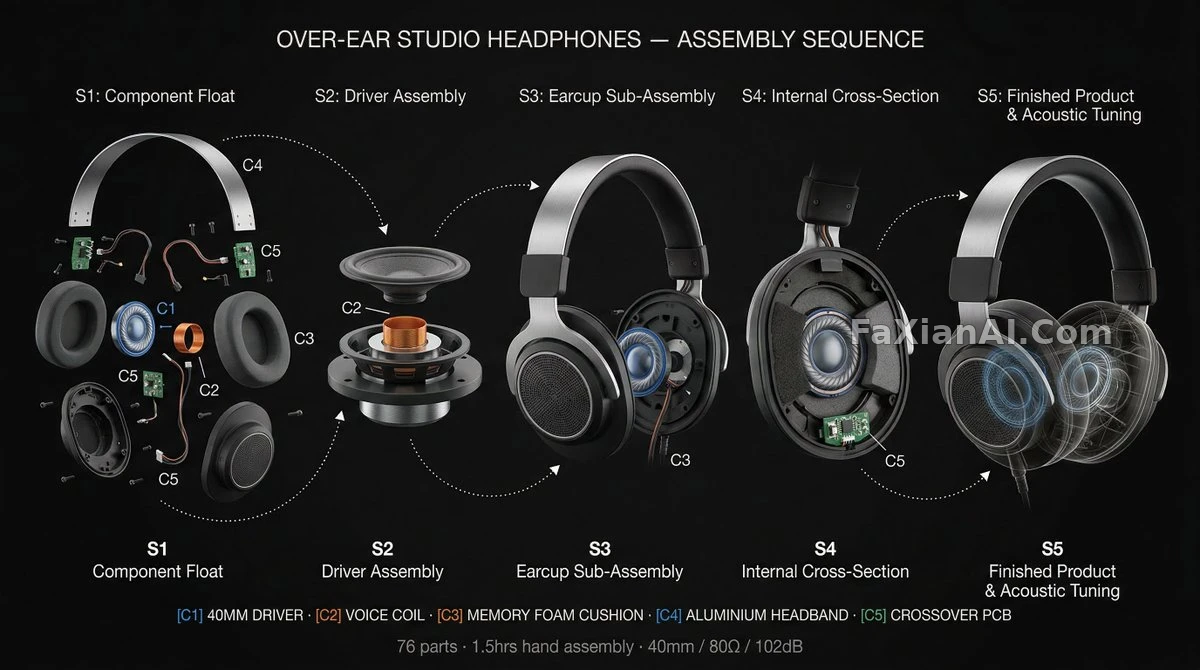
This timeline infographic keeps five independent stages aligned on the same axis — this level of layout precision applies just as well to detail-page needs in the e-commerce category.
Common failure modes and fixes
A few pitfalls that show up repeatedly in testing: first, cramming too many text blocks into one prompt makes the model juggle badly — it's better to lock down one core piece of copy per pass and split multiple text blocks across two runs, which is steadier than demanding everything be right in one go. Second, not distinguishing information hierarchy across multiple reference images leads to half-finished results like "the face is right but the clothes got mixed up" — the underlying cause is not telling the model which image is responsible for which part. Third, contradictions between structured fields (writing side-backlighting in lighting while also writing front lighting in mood) — check the logic across fields for consistency before submitting, which saves a lot of re-run time. Fourth, mixing parameter-type descriptions with content-type descriptions — technical items like aspect ratio are better placed at the end, separated from the content layer, so the model parses things more cleanly.
There's another issue that's easy to overlook: when multiple runs of the same prompt come back with noticeably different results, it's often not model instability — it's that the prompt itself left too much ambiguous room. Pose wasn't locked down, prop count wasn't specified — both get treated as "free to improvise" signals. To test this theory, run the same prompt a few times with different fields removed each time — whichever field's removal causes the biggest swing is the field that was actually doing the work.
At the end of the day, how to use nano banana pro comes down to "field thinking" — figure out which layers of information need to be conveyed first, then fill them into the structure one layer at a time. That's far more effective than writing one elaborate long sentence in one go. To directly compare it against other models, see GPT Image 2 vs. Nano Banana Pro and Nano Banana vs. Nano Banana Pro. The model wiki homepage rounds up positioning notes for every model on the site, and the comparison hub has even more pairings. The homepage at image.faxianai.com has a ready-made prompt case library you can copy the structure from and adjust the fields directly.