
How to Write Isometric Prompts: Lock Four Things (Angle, Base, Scale and Negative Space) and the Scene Stops Drifting
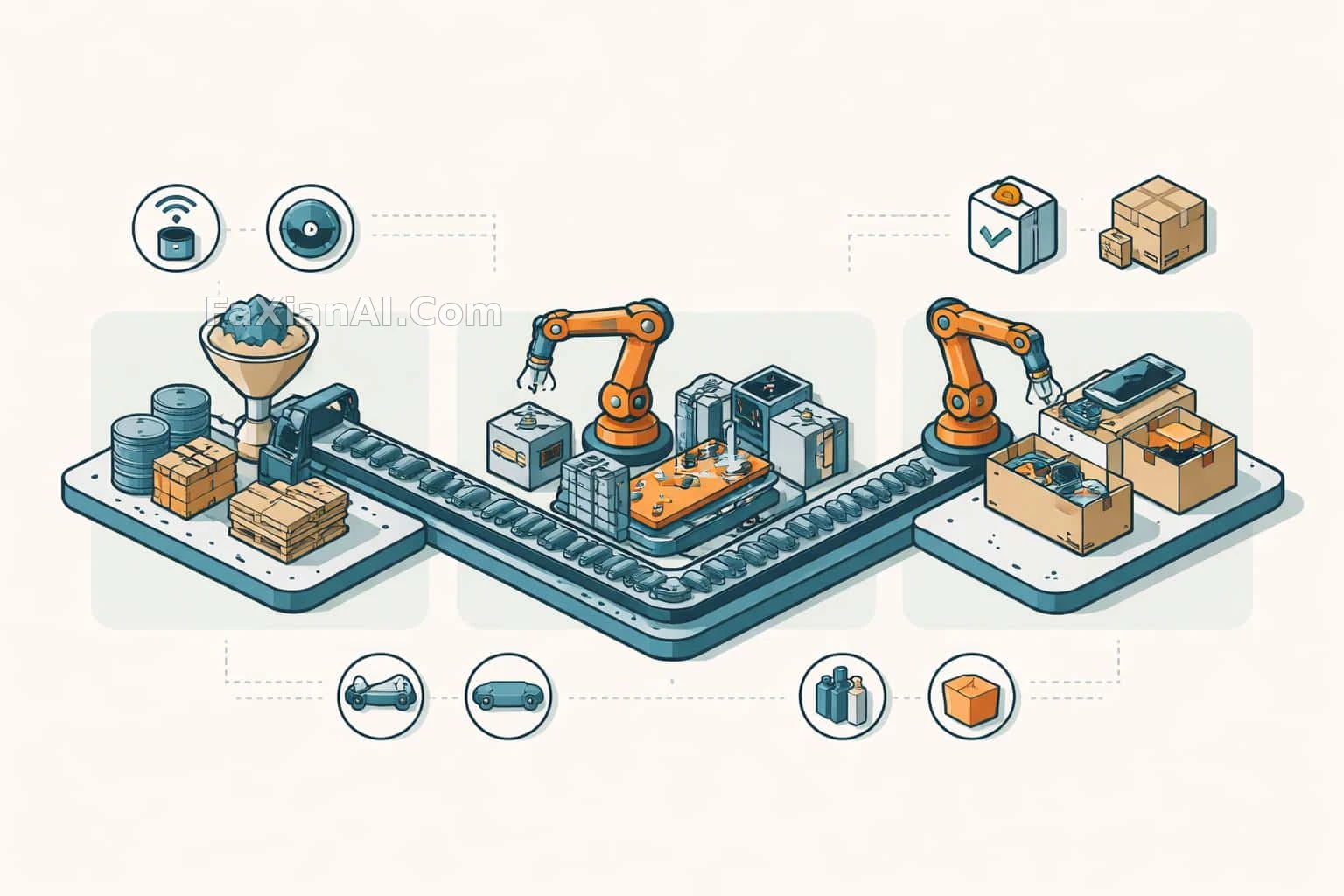
"Isometric" is probably the word most often written in image prompts and most often misunderstood. Plenty of people write it and get an ordinary high-angle shot instead: near buildings big, far buildings small, ground lines converging toward the distance. A true isometric image has no vanishing point, the three axes sit 120 degrees apart, and near and far are the same size, so it looks like a model sitting on a desk rather than a photo taken from a plane.
Look at the isometric cases on the site that come out reliably and they never rely on the single word isometric. They hand over four things together: angle, base, scale and negative space. Here they are one by one.
1. Angle: Give the Number, and Say What You Don't Want
With isometric view alone, a model tends to waver between "isometric" and "bird's-eye with perspective." The more stable way is to write the angle as a number.
The site's city weather card template opens with 45-degree top-down isometric miniature scene. The angle arrives together with "miniature scene," so the model reads it as both "looked at from 45 degrees" and "this is a small model," and the sense of perspective is suppressed naturally.
The six-hundred-year New York isometric map uses exclusion instead: edge-to-edge isometric terrain map with no outer frame and no visible cross-section. It doesn't want a terrain block sitting on a table, so it states outright that there is no frame, no visible cut face, and the ground fills the whole 16:9 canvas. Which kind of isometric you want (a map that fills the frame, or a floating model block) is far cheaper to settle in one sentence than to fix with reruns.
2. Base: Write Out the "Stage" of an Isometric Scene
An isometric scene looks like a model largely because of its base: a platform with thickness, a crisp cut edge, a little soft shadow cast on the background.
The tidal research station writes on a pale rock base together with floating presentation on white, precise soft shadows. Base material, background color and shadow softness are all supplied, and the coastline gets "installed" onto a stone base. The reading cottage in a spiral shell swaps in pale sand ground, so the base becomes sand and the story shifts at once from "architectural model" to "a little world by the sea."
The base material works best when it relates to the subject. Wood grain for surfing, snow for a mountain, concrete for a city: the base itself tells the theme, and that does more than squeezing three extra landmarks into the picture.
3. Scale: The Fewer the Objects, the More It Looks Like a Model
The easiest thing to get wrong in an isometric miniature is scale: a chair taller than the door, a person bigger than the window, fake at a glance.
The shell cottage entry specifically writes carefully scaled furniture, and the whole house holds only one green chair and a skylight. Two objects, two color dots: scale is easy to control and the picture stays clean. The mountain rescue station cutaway has more in it (a gear wall, a radio room, a drying rack, a medical corner, a snowmobile garage). Its method is to add the line clear circulation and realistic proportions, then separate the functional zones with three colors, dark red, pine green and warm gray, so a reader can follow the flow of movement and understand the layout.
A practical order: first write what the subject is and what the base is, then list the rooms or props, and finish with one scale constraint. Once you have more than five props, color-coded zones are close to mandatory.
4. Text: Either Use It as Building Material or Reserve a Spot
Text in an isometric image can be used in two ways, and they are written completely differently.
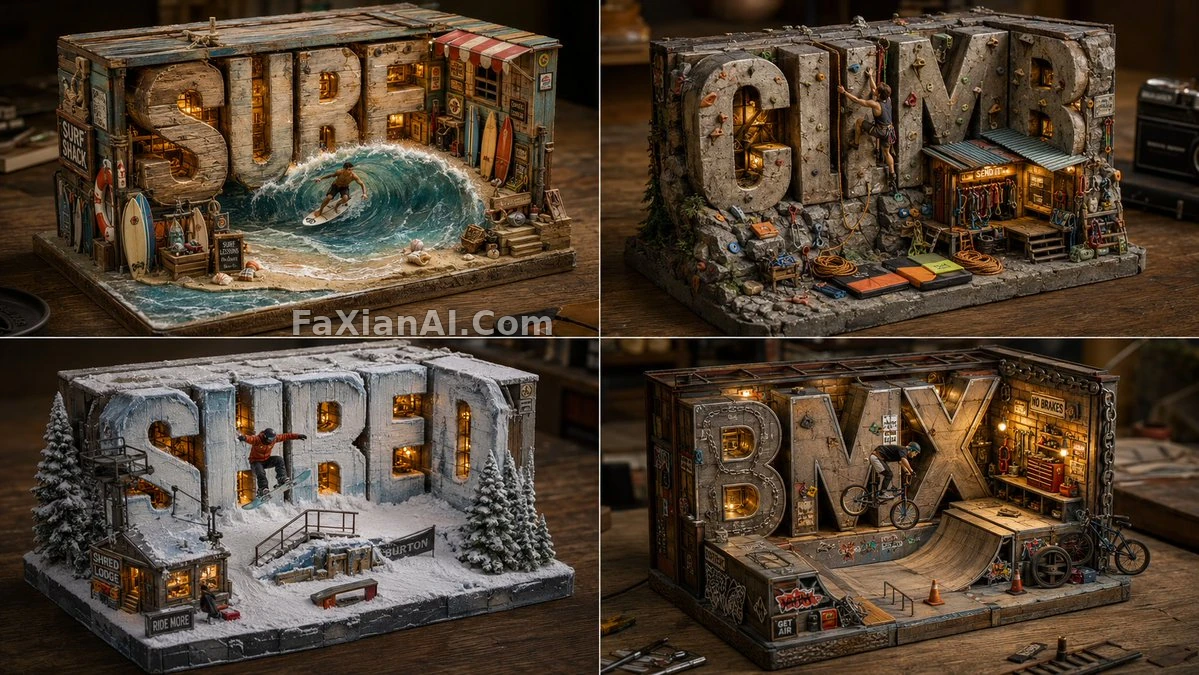
The first makes the letters part of the scene. The extreme-sports word diorama uses an ASCII sketch to tell the model that the word becomes the back wall, with letters built as thick architectural blocks, not flat text, in materials that follow the theme. So SURF is wood soaked by waves, SHRED is stone covered in snow, and the little figures surf, climb and ride BMX in front of the letters.
The second leaves the text out and reserves the space. The cover image, the factory-line isometric manual, is a good example to learn from: it asks to Reserve the entire upper quarter as open negative space and to Leave every surface free of typography. The raw-material, assembly and finished-goods stations each take a third, the middle one is the largest, six small icons are scattered in two rows above and below, and the title and callouts are left for layout in post. If a model can't draw text reliably, don't make it; state the negative space clearly and adding text afterward is actually more accurate. For more ways to write infographic zoning, compare museum-plate infographic prompts.
5. Translating a Photo into Isometric: Use a Side-by-Side Layout
There is another use of isometric that has become popular lately: take a real photo and have the model translate it into a sand-table model on the same poster.
The 3:4 poster with a photo on top and a sand table below rests on three key sentences: the photo goes in the upper half unaltered; in the lower half reduce everything to plain blocks with clean edges, resting on a paper-like base; and the palette is sampled from the photo and then purified down to a limited few colors. The title is required to be aligned with the isometric grid, so the type follows the direction of the isometric grid and the geometry of the whole image comes together.
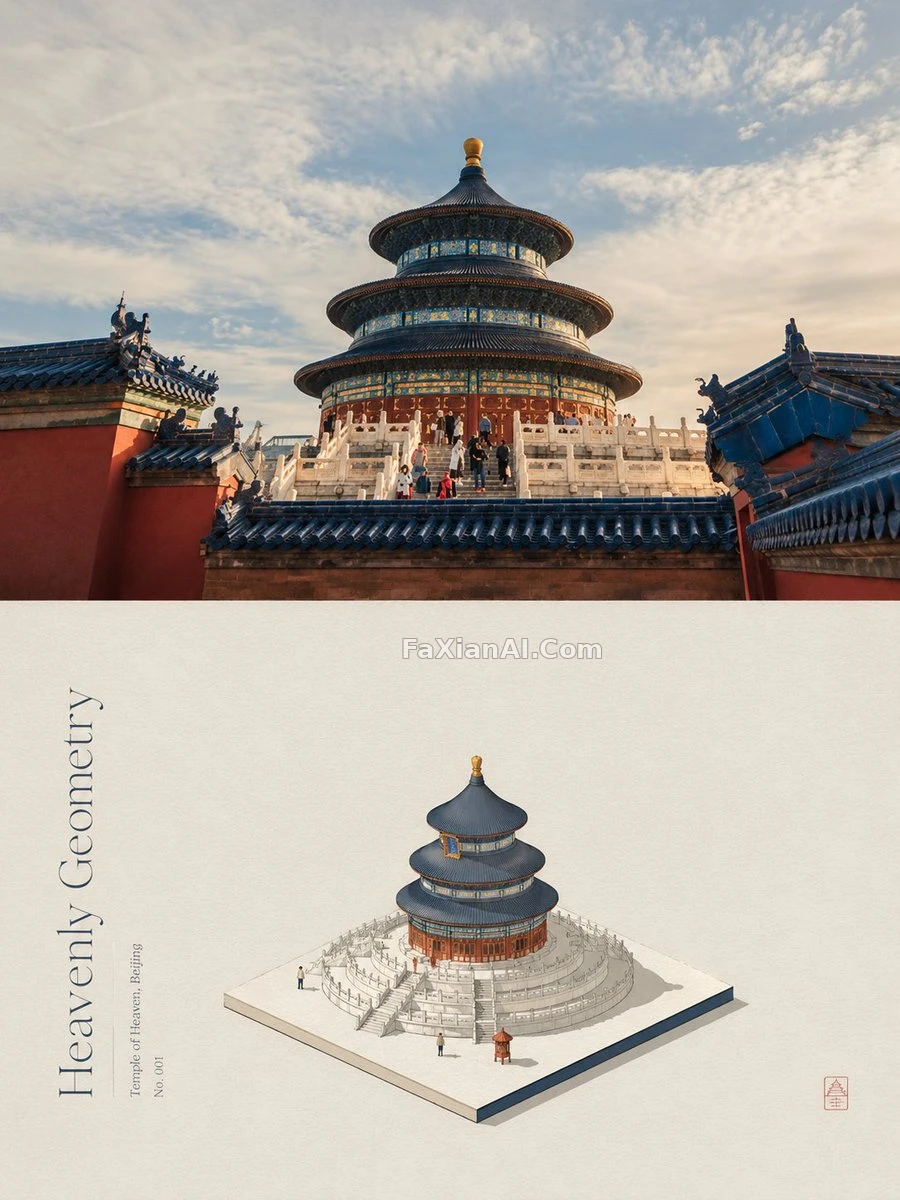
The editor's note on this entry says it well: the smaller the palette, the more the sand table looks like a model rather than an illustration. If you want to make this kind of side-by-side poster, the prompt needs the "purify the palette" step.
6. Isometric Cutaways: Give the Cut, and Give the Function
When the subject is "what is inside a building," isometric is often used together with a cutaway. The site's terraced-hill city 2.5D cutaway and isometric tidal library cutaway both follow this route. When writing a cutaway, say which side the cut is on and which functional zones it exposes, and add no readable text so the model doesn't stick a pile of garbled labels on every room. For cutaway and blueprint writing, see from cutaway to blueprint: making technical subjects readable at a glance, and for handling the scale of tiny figures against a giant object, see the miniature crew and the giant object.
An Isometric Template You Can Adapt Directly
```
Isometric 3D miniature of [subject: a seaside lighthouse station / a late-night bakery],
true isometric view at 45 degrees, no perspective distortion, no vanishing point.
Sitting on a [base material: pale stone / walnut wood / snow-covered] base with crisp cut edges,
floating on a plain [background color] background with soft contact shadows.
Inside: [prop 1], [prop 2], [prop 3] — carefully scaled, realistic proportions.
Palette limited to [3-4 colors], one accent color on [key object].
[Text, pick one:
A) The word "[WORD]" built as thick 3D blocks forming the back wall, material matching the theme.
B) No text anywhere; keep the top quarter as clean negative space for later labels.]
Aspect ratio [3:2 / 1:1].
```
When using it, first decide whether you want a "model block on a desk" or a "map that fills the frame," then decide whether the text is building material or empty space. Once those two choices are made, you can swap the props and palette however you like without the scene drifting.