
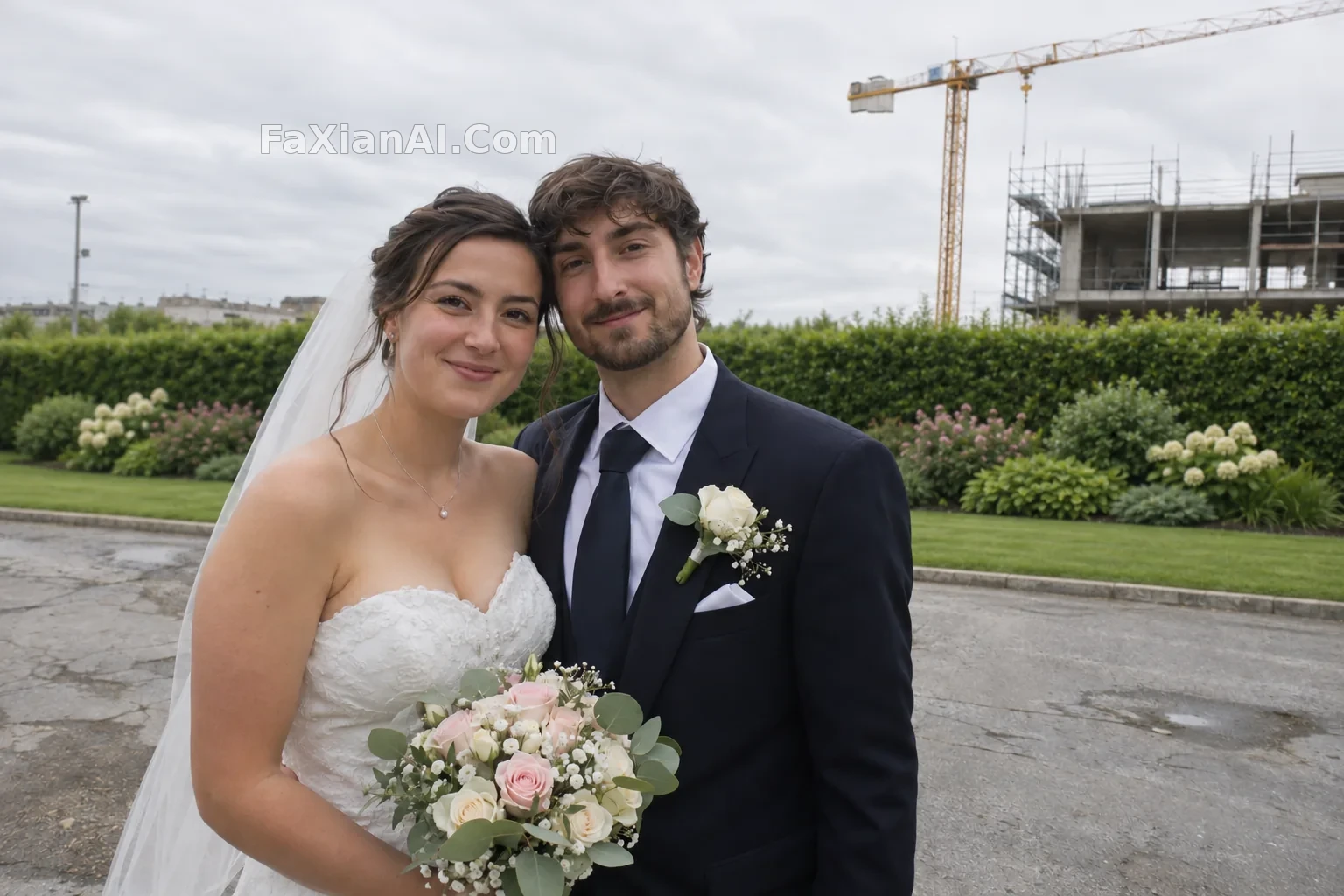
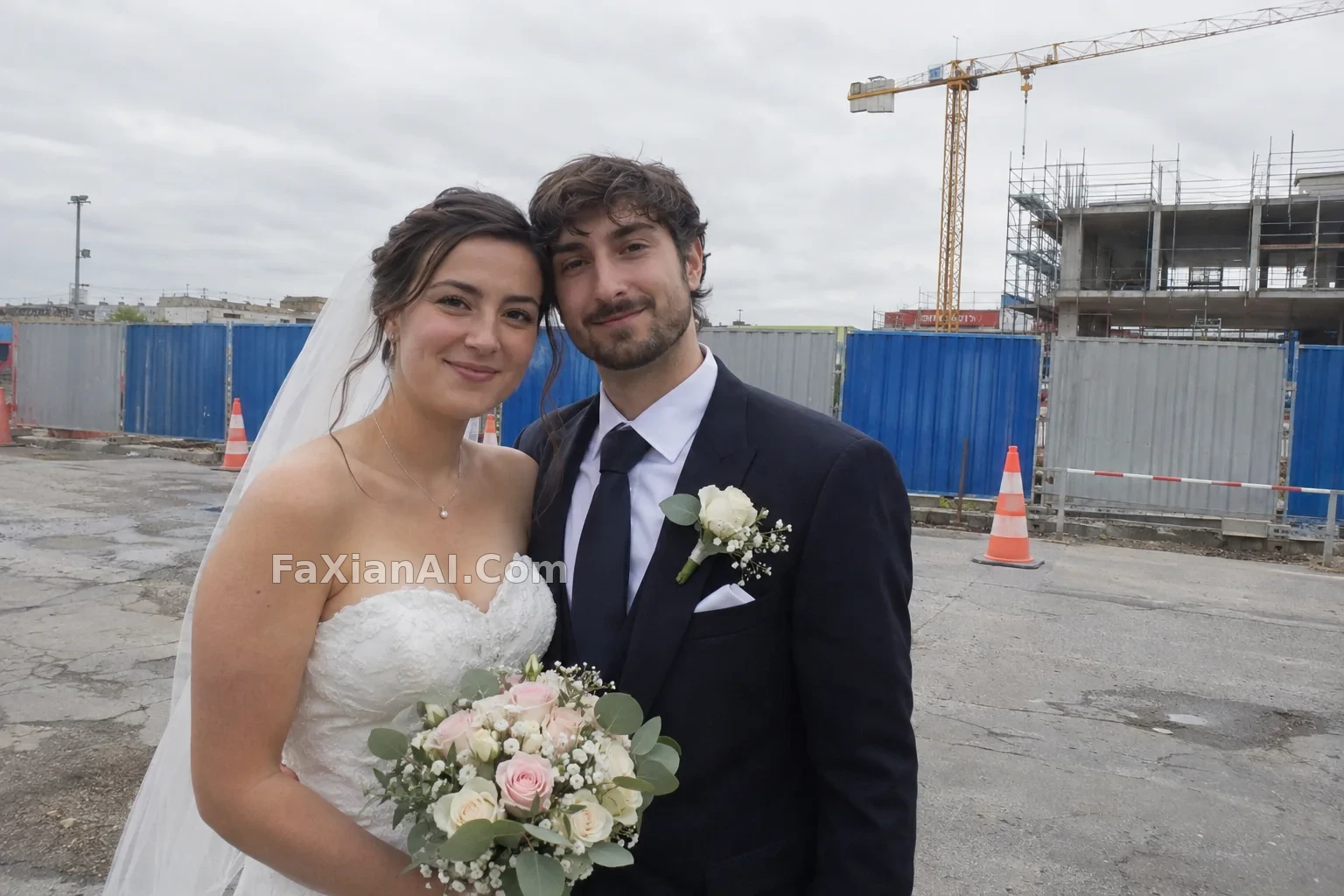
婚紗照去圍擋補成綠植
去掉新人身後的施工圍擋,補成自然的灌木與草地。
寫法要點
✍️ 去圍擋的優勢在於有明確的替換物。只寫“刪除”會留下空洞,寫成“補成與周邊一致的灌木與草地,邊界自然”才能閉合。人物與服裝列入不可變項。
完整提示詞
📋 提示詞 自然語言
Edit the uploaded outdoor wedding photo of a couple of adults: remove the construction hoarding behind them and fill the area with natural green planting, a continuous hedge and shrubs backed by lawn, with matching depth of field and soft focus. Keep unchanged: both people, their faces, expressions, poses, hands, the wedding outfits and bouquet, the edges where hair and veil meet the background, the composition, and the light direction and color. Do not retouch or reshape the people. No logos, no text.
📋 中文譯寫版 自然語言
編輯上傳的戶外婚紗照(兩位成年新人):去掉他們身後的施工圍擋,用自然的綠植補上,成排的灌木和後方草地,景深與虛化程度和原圖一致。以下保持不變:兩個人、他們的面容、表情、姿勢、雙手、婚禮服裝和花束、髮絲與頭紗同背景相接的邊緣、構圖,以及光線的方向和顏色。不要修飾或改變人物。無標識,無文字。
相關案例

更多 GPT Image 2.6 案例
全部 GPT Image 2.6 案例 →


相關教程
GPT Image 2.6 的 Flare 和 Sunburst 怎麼選,complexity 又該設多少ChatGPT 修圖指令大全:22 條 photo editing prompts 按場景複製即用ChatGPT 圖片生成指令從入門到進階:18 條 chatgpt image generator command