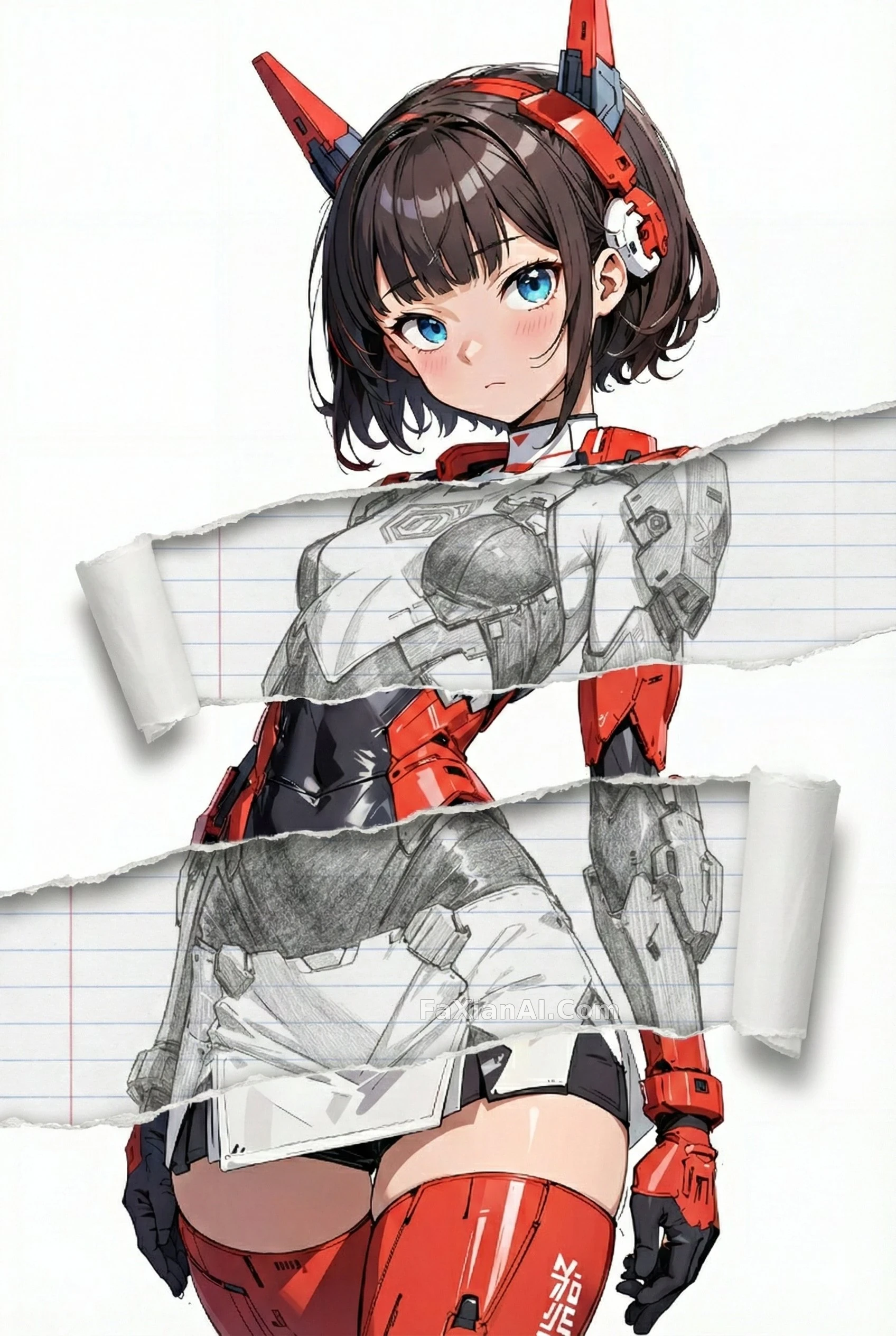
胸口那道縫隙露出線稿
只改撕口內部露出的部分,姿勢光影背景一律原樣保留,橫向撕兩道剛好卡在人體分割槽上。
✍️ 兩道撕口卡在胸口和小腹,不是隨便選的——橫向撕裂貼合人體水平分割槽,豎著撕反而破壞比例感。露出的線稿層要跟表面寫實層拉開材質反差,這個處理比單純貼紙濾鏡耐看。
📋 提示詞 JSON 結構化999 字元
{
"task": "edit-image: layered torn-paper reveal",
"base": {
"use_reference_image": true,
"keep_unchanged": [
"identity of the character",
"face and expression",
"hair and body proportions",
"outfit design and color",
"background, lighting, composition",
"overall art style"
]
},
"constraints": {
"edit_only": "interior of the torn-paper openings",
"do_not_touch": "pose, anatomy, proportions, clothing detail, shading, background elements"
},
"tears": [
{
"where": "across the chest",
"note": "a wide, natural horizontal tear opening across the chest area, interior per interior_style"
},
{
"where": "across the lower abdomen",
"note": "a second wide horizontal tear at the lower abdomen, same interior treatment"
}
],
"interior_style": {
"mode": "line-art",
"palette": "monochrome",
"line_quality": "clean, crisp",
"paper": "notebook paper with faint ruled lines"
}
}
📋 中文譯寫版 自然語言
編輯任務:給人物加一層'撕紙露出內層'的效果。以參考圖為基礎,人物身份、臉部表情、髮型和身材比例、服裝設計與顏色、背景光影構圖、整體畫風——這些全部原樣保留不動。規則很明確:只能改撕開區域內部露出來的部分,姿勢、解剖結構、比例、服裝細節、陰影、背景元素一律不能碰。撕口開兩道:一道橫貫胸口,自然的寬幅撕裂;另一道在小腹位置,同樣寬幅橫向撕開,兩道撕口內部都按同一套'內層風格'處理。內層風格定為線稿:單色、線條幹淨利落,紙張質感是帶淺色橫線的筆記本紙。