幾何海報換色:讓構圖與邊緣完全不動
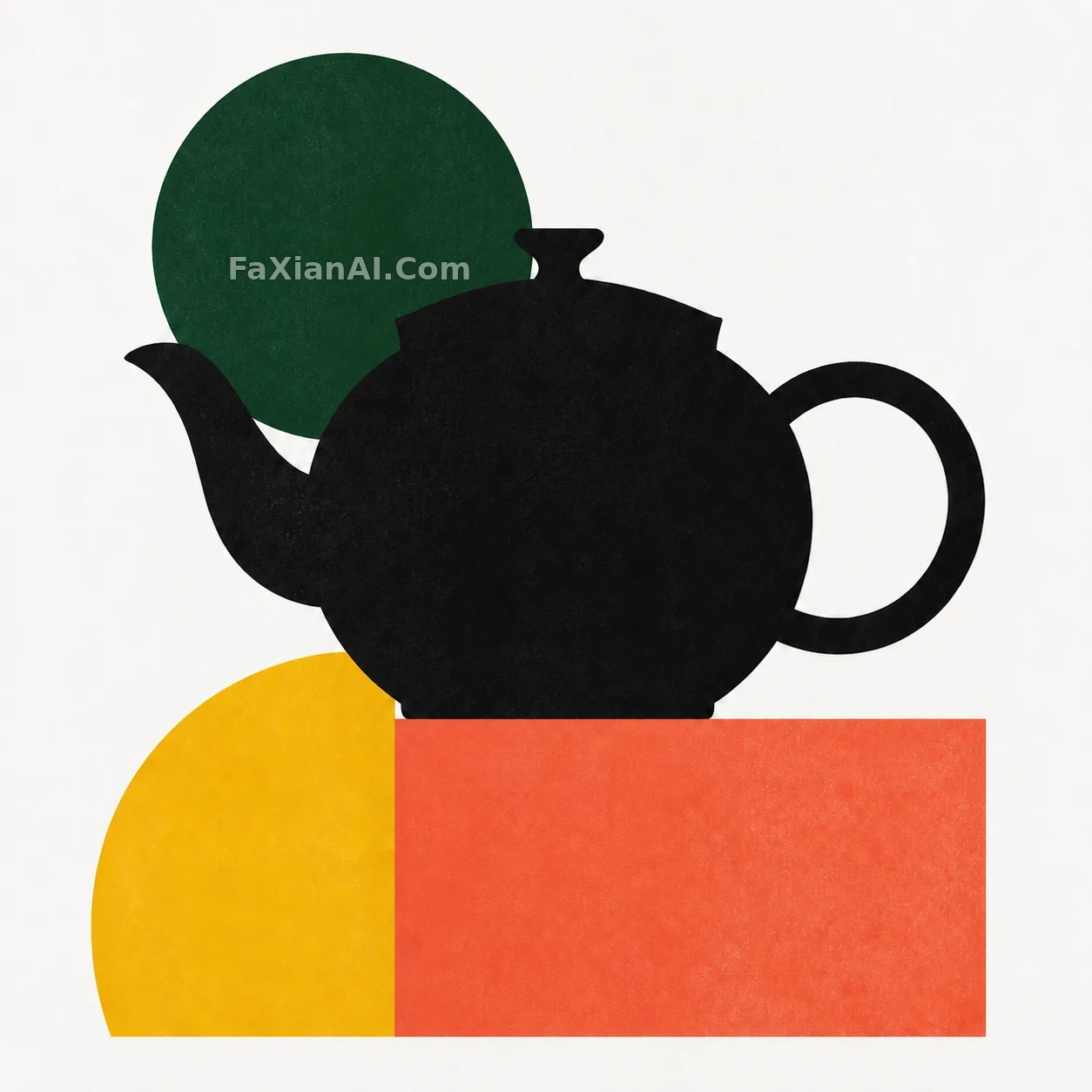
以本組幾何茶壺海報為輸入,僅將紅色圓換成深綠色、藍色直角矩形換成珊瑚橙。本案例重點是明確修改範圍,同時保護輸入圖中的主體與構圖。
✍️ 本圖為原創生成示例,並非現場實拍或真實產品。本案例實際使用同組輸入圖進行編輯,輸入案例:茶壺與圓弧:包豪斯構成的尺度練習 https://image.faxianai.com/p/geometric-teapot-poster/
編輯輸入:檢視原案例
📋 提示詞 自然語言
Using the geometric teapot poster from this set as the input, change only the red circle to deep green and the blue right-angle rectangle to coral orange. Keep the teapot black, the semicircle yellow, and the background white. Leave the position, scale, overlap, paper texture, and edges of every shape completely unchanged, and add no type or decoration. Output one sharp text-free single image, with no collage, grid, low-resolution preview, or watermark.
📋 中文譯寫版 自然語言
以本組幾何茶壺海報為輸入,僅將紅色圓換成深綠色、藍色直角矩形換成珊瑚橙。茶壺保持黑色、半圓保持黃色、背景保持白色,所有形狀的位置、比例、重疊關係、紙張紋理和邊緣完全不動,不增加字型或裝飾。輸出清晰無文字單幅圖,主體細節和邊緣清晰,不使用拼圖、九宮格、低清預覽或水印。