
Gemini修圖提示詞精選:gemini photo editing prompts實測12條含nano banana prompts
除錯這件事有個習慣,報錯資訊不能只看紅字本身,得看這個報錯是在哪個函式丟擲來的,上下文對不上,光改紅字沒用。寫gemini photo editing prompts也是這個邏輯,很多人改圖效果不對,第一反應是加更多形容詞,其實問題往往出在"上下文"——要保留的部分和要改的部分,有沒有在提示詞裡分清楚。這篇整理的12條,都是從這個思路出發寫的,站內素材大多數就是用Nano Banana這個模型生成的,正好拿來對照。
gemini photo editing prompts,背景替換的核心是光源一致
背景替換這個需求,報錯率最高的地方不是背景選得對不對,是主體和新背景的光源方向對不上,一眼就能看出來是"貼"上去的,跟程式碼裡兩個模組介面對不齊是一個道理。
- "Replace the background with a warm indoor setting, keep the subject's pose, clothing details and lighting direction on the face unchanged, light source from the left."(把背景替換成室內暖光環境,保持主體姿態、服飾細節和臉部光照方向不變,光源來自左側)
- "Swap the seat position of this person to the front row, keep facial identity and clothing texture consistent, blend the shadow under the new position naturally."(把這個人的座位替換到前排,保持面部身份和服裝質感一致,讓新位置下的陰影自然融合)
- "Change the backdrop to a deep blue night tone while keeping the flowers and the subject's pose fully intact, only adjust the ambient color temperature."(把背景換成深藍夜色調,同時完整保留花束和人物姿態,只調整環境色溫)
這裡換一張站內實際案例:背景替換保留花束姿態這條思路,光源和主體沒脫節,這才是gemini photo editing prompts該交代清楚的部分。
nano banana prompts,元素移除靠"填補邏輯"不是靠"刪除"兩個字
移除畫面裡多餘的元素,很多人只寫"去掉某某",這句話確實能觸發刪除,但刪完之後那塊空出來的區域怎麼補,才是決定結果好不好的關鍵,跟處理一個空指標異常一樣,光catch住不行,還得補上兜底邏輯。
- "Remove the drummer from this scene, extend the background pattern naturally into the empty space, keep the remaining composition balanced."(把這個場景裡的鼓手移除,讓背景圖案自然延伸填補空出的區域,保持剩餘構圖的平衡)
- "Remove the extra person from this photo and reconstruct the floor texture and distant architecture lines to remain continuous."(移除照片裡多餘的人物,重建地面紋理和遠處建築線條使其保持連貫)
- "Erase the object in the foreground while keeping the depth of field and background blur level identical to the rest of the frame."(擦除前景中的物體,同時保持景深和背景虛化程度與畫面其餘部分一致)
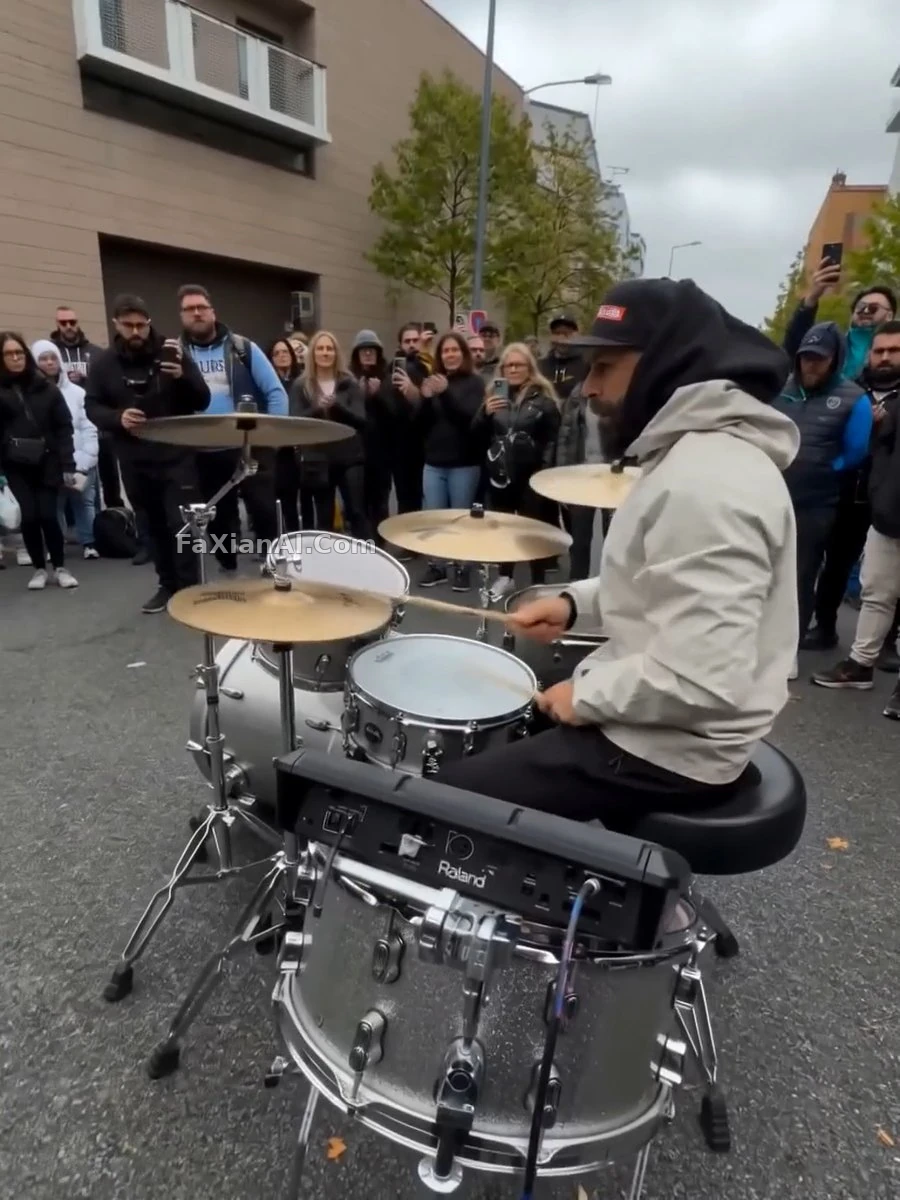
鼓手退場的處理案例就是這個思路,刪除只是第一步,補完才是完整的一次commit。
gemini image edit處理老照片,剋制比鮮豔更重要
老照片修復和上色這塊是站內素材最集中的一類,也是最容易因為引數給太滿而翻車的場景——上色飽和度寫太高,年代感直接丟掉,跟給一個函式塞了個預設值過大的引數,結果全域性都跑飛了性質差不多。
- "Colorize this black and white photo naturally, muted saturation, skin tone warm but not vivid, preserve original film grain at low intensity."(自然為這張黑白照片上色,飽和度剋制,膚色溫暖但不鮮豔,保留低強度的原始膠片顆粒)
- "Restore this old photo: repair scratches and creases, keep facial identity and expression fully consistent with the source image, do not over-smooth skin texture."(修復這張老照片:修補劃痕和摺痕,保持面部身份和表情與原圖完全一致,不要過度磨平皮膚質感)
- "Recreate this damaged heirloom photo at higher clarity, keep the original clothing pattern and pose exactly as captured."(把這張受損的傳家寶老照片重現到更高畫質晰度,保持原有的服裝圖案和姿態與拍攝時完全一致)
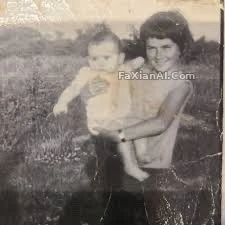
紀念品修復案例劃痕去掉了,畫質留下了,這條邊界跟寫單元測試一樣,得先定好哪些行為不能變。
人物合成與身份匹配,參考圖是"輸入源"不是"靈感"
用參考圖做人物合成時,很多人把參考圖當成風格靈感隨便發揮,其實參考圖該被當成一份精確輸入——五官對不對得上,比風格像不像更重要,這跟單元測試對照預期輸出是一回事,差一點就是不透過。
- "Recreate this scene using the reference face, match facial features precisely, only the pose and outfit should follow the new composition."(用參考人臉重現這個場景,精確匹配五官特徵,只有姿態和服裝跟隨新構圖變化)
- "Composite this person into the new background, keep facial proportions and skin tone exactly matched to the reference photo, adjust only the lighting to fit the new scene."(把這個人合成進新背景,面部比例和膚色與參考照片精確匹配,只調整光照以適配新場景)
- "Match this recreated portrait to the reference image exactly, keep facial landmarks aligned, allow only clothing and background to be reimagined."(讓重現的肖像與參考影象精確匹配,保持面部關鍵點對齊,只允許服裝和背景被重新構想)
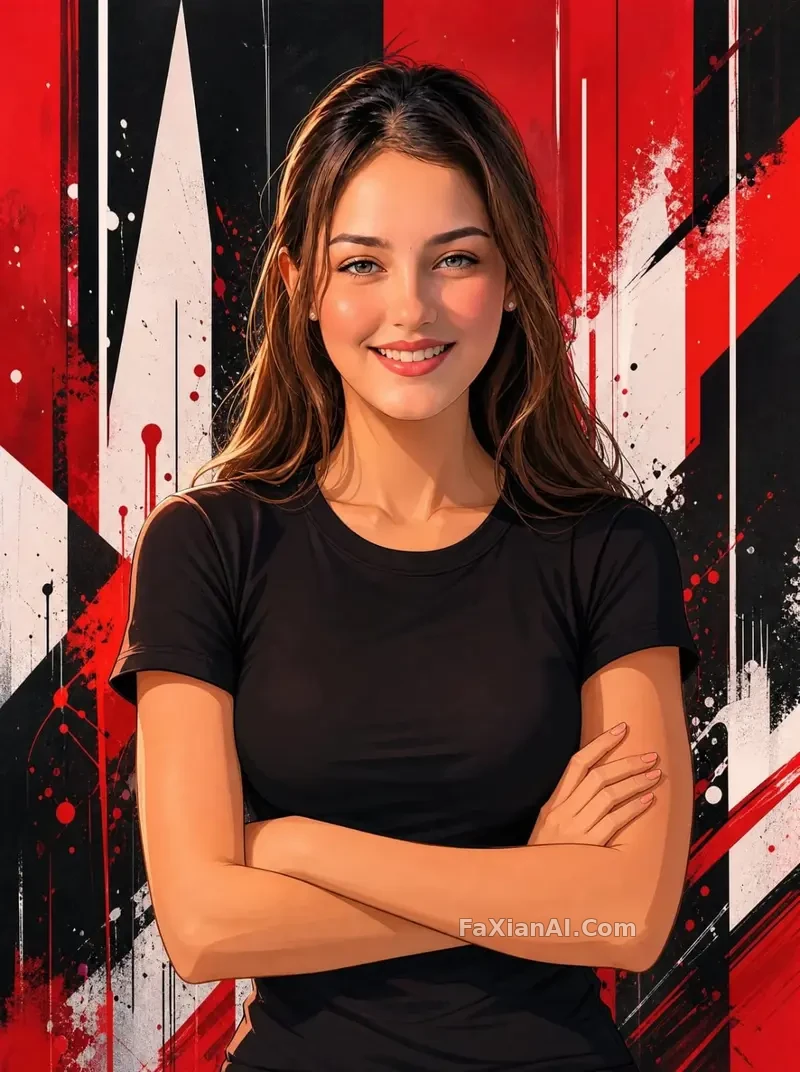
五官對齊參考圖的案例走的就是這條路,參考圖是輸入,不是隨便發揮的靈感來源。
寫gemini photo editing prompts和nano banana prompts這件事,跟除錯程式碼的心態很像——出問題先別急著加引數,先看是不是上下文沒交代清楚。gemini image edit這條鏈路上,大部分翻車案例回頭看,問題都不在詞彙量不夠,而在沒把"保留什麼"這一層說明白。想再看看反向提示詞該怎麼寫,可以翻翻負向提示詞指南;提示詞權重這塊的具體控制方法,提示詞權重那篇講得比較細。這批案例大多來自站內修圖改圖和人像寫真分類,首頁image.faxianai.com還能翻到更多Nano Banana生成的實測案例圖。