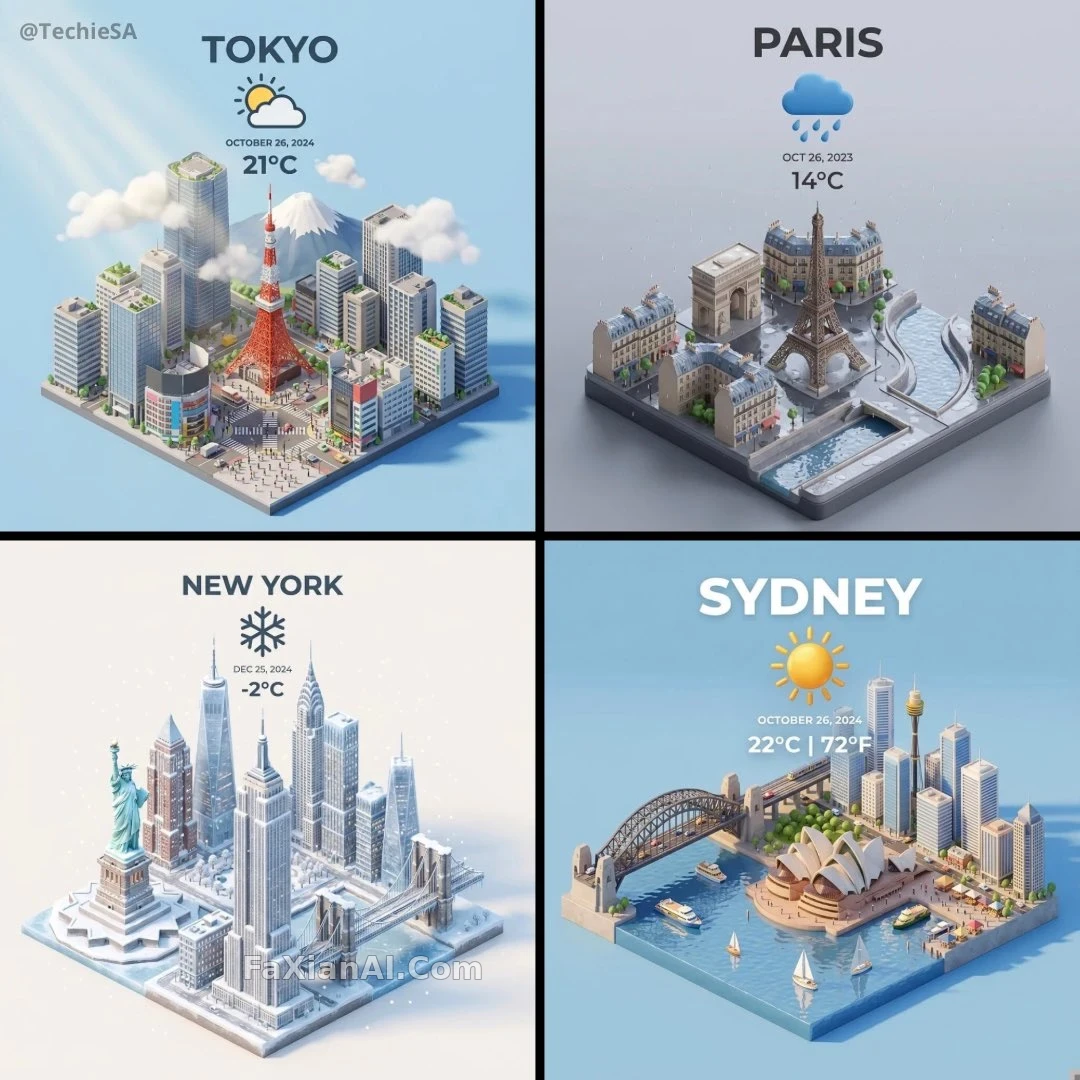
一座城市,天氣寫進等距模型裡
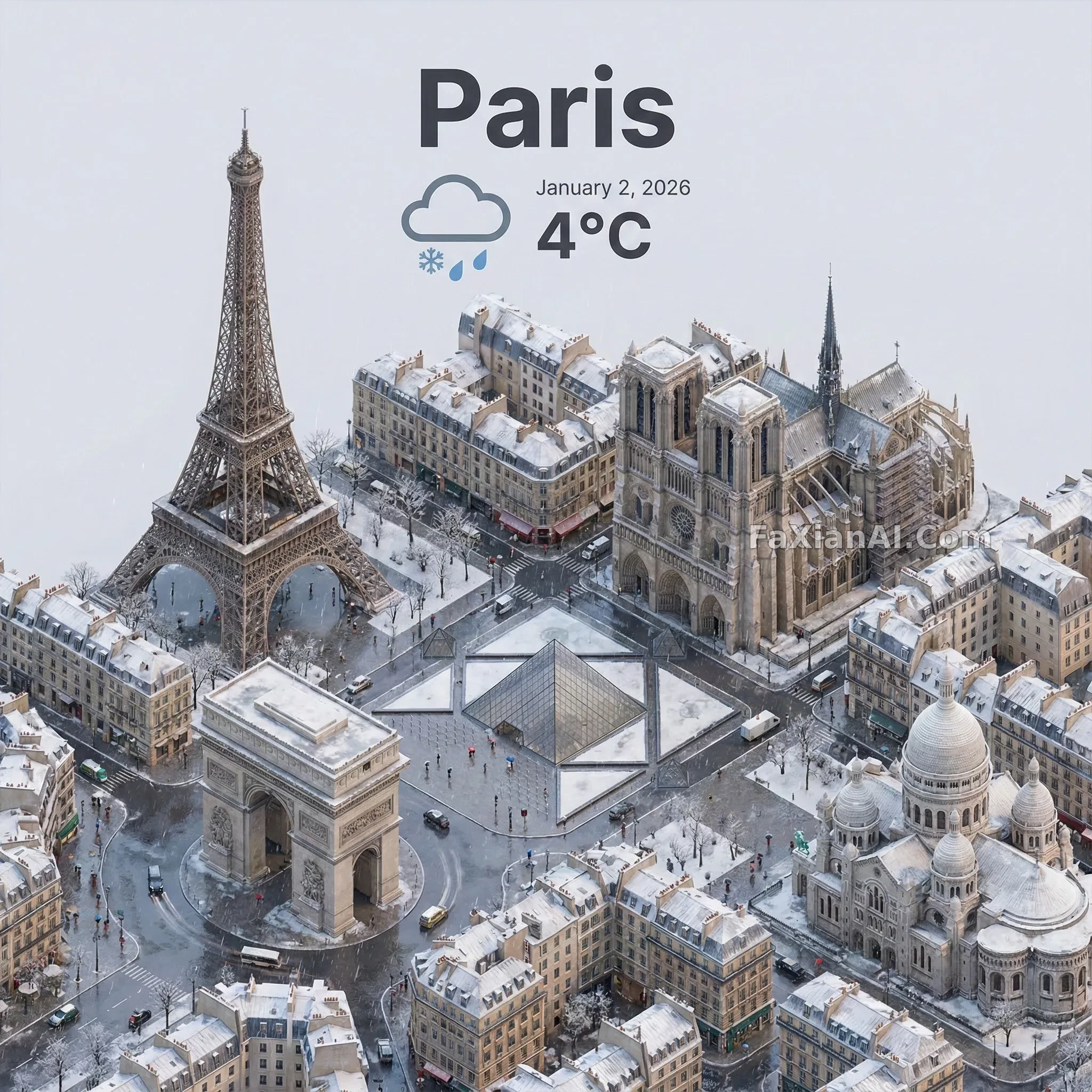
資訊密度高,但等距構圖能把天氣和地標疊得不打架。
✍️ 能不能當天氣卡片用,靠頂部文字的字號層級——城市名最大、日期最小、溫度居中。城市和天氣是唯一要換的變數,場景風格反而是模板,文字層級要先定。
📋 提示詞 自然語言690 字元
Build a clean, 45-degree top-down isometric miniature scene of [CITY] rendered in a 3D-cartoon style, featuring its most recognizable landmarks and architecture. Use soft, refined PBR-style materials with gentle, believable lighting and shadow. Fold the current weather directly into the environment itself so the whole scene reads as one atmospheric mood, set against a minimal, solid-colored backdrop. At the top center, place the city name '[CITY]' in large bold type, a weather icon just below it, then the date in small text and the temperature in medium text — all centered, evenly spaced, and free to overlap slightly into the tops of the buildings. Final canvas: a square 1080x1080.
📋 中文譯寫版 自然語言
以45度俯視等距視角,做一個[CITY]的迷你3D卡通場景,呈現它最具辨識度的地標和建築。材質走柔和精緻的PBR質感,配合自然可信的光影。把當前天氣直接融進場景本身,讓整體氛圍統一,背景保持簡約的純色。畫面頂部居中放大號加粗的城市名[CITY],下方跟一個天氣圖示,再往下是小號字型的日期和中號字型的溫度——全部居中、間距一致,允許輕微壓在建築頂部。最終畫幅為1080x1080的正方形。