Home › Photo Editing › Get the Edge Sharpness Right and the Skin Stops Looking Fake

Get the Edge Sharpness Right and the Skin Stops Looking Fake
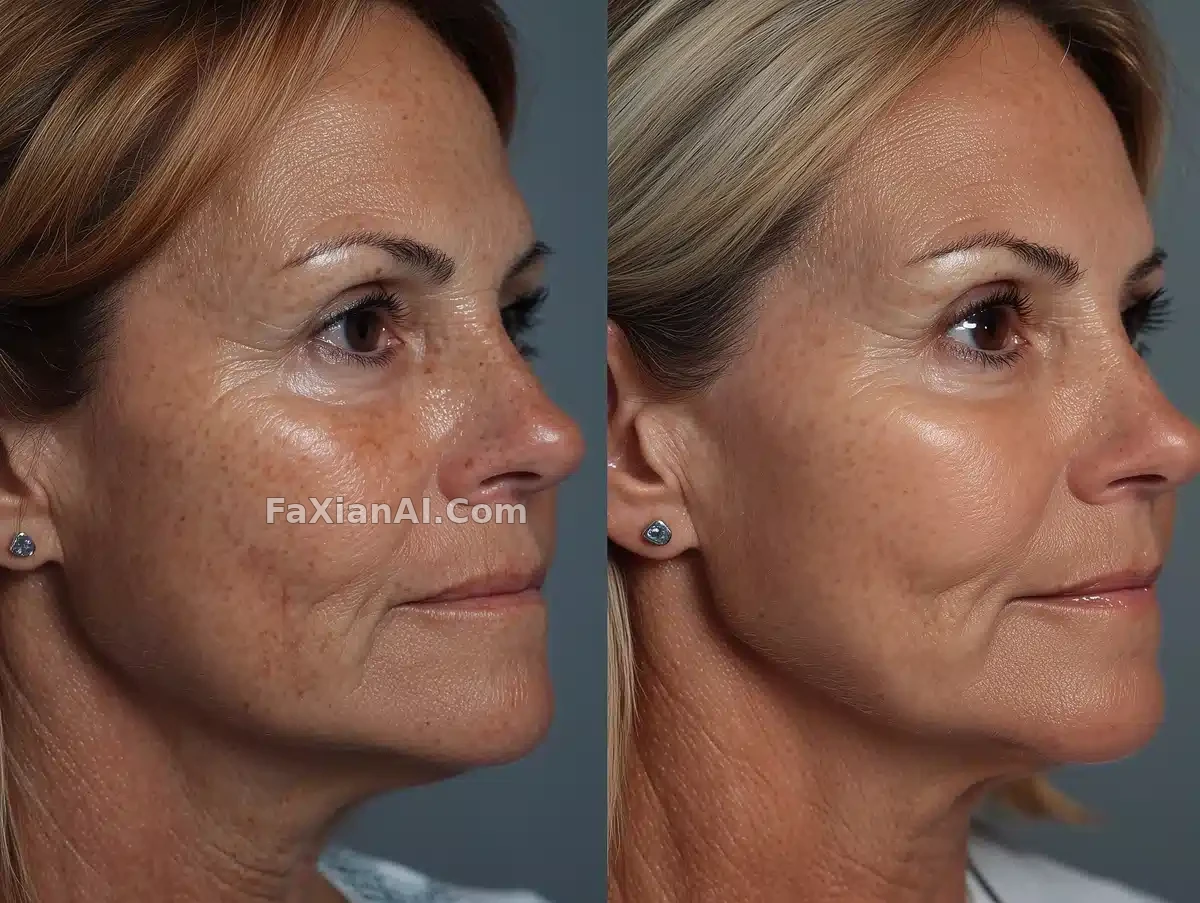
The edges around the lashes and hair strands are cleaned up crisply, while the pores stay visible without looking rough — a balance that's genuinely hard to hit.
✍️ Only the edges around the eyes, lashes, lips, and hair get sharpened — the background and color tone stay completely untouched. It's the same logic as bolding just a few words in a layout and leaving the rest alone: the whole trick is in that word local.
📋 Prompt Natural Language
Keeping composition and color exactly unchanged, bump the image quality up a notch. Start by removing blur, so the skin reads with a real, fine-grained texture — pores clearly visible, fine lines natural, smooth transitions between light and shadow. Keep the light tones and background exactly as they are, while optimizing edge sharpness around the eyes, lashes, lips, and hair strands, so the whole portrait carries the feel of high-end beauty photography, with skin that looks natural rather than forced.